
Why This Power Automate Resume Project Matters
Many Power Platform learners struggle with the same problem.
They complete tutorials but still cannot answer one important interview question:
“Tell me about a project you worked on.”
Interviewers rarely care about basic demos. They want to understand:
- Real business problems
- Design decisions
- Challenges faced
- Technologies used
- How you solved the problem
This Employee Birthday Automation System is designed to help bridge that gap.
It is a practical HR automation project that can be:
- Added to your resume
- Explained during interviews
- Included in your portfolio
- Extended for other business scenarios
Business Problem
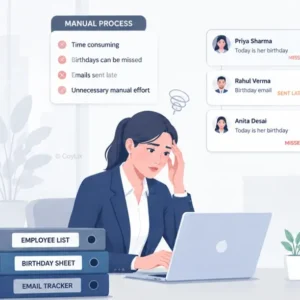
In many organizations, HR teams manually track employee birthdays and send emails one by one.
Although this may work for a small team, it becomes difficult as the organization grows.
Common Challenges
- HR manually sends birthday emails
- Time-consuming repetitive work
- Employees can be missed accidentally
- No centralized tracking mechanism
- Difficult to manage at scale
The goal was simple:
Create a fully automated system that sends birthday emails automatically every day.
Solution Overview
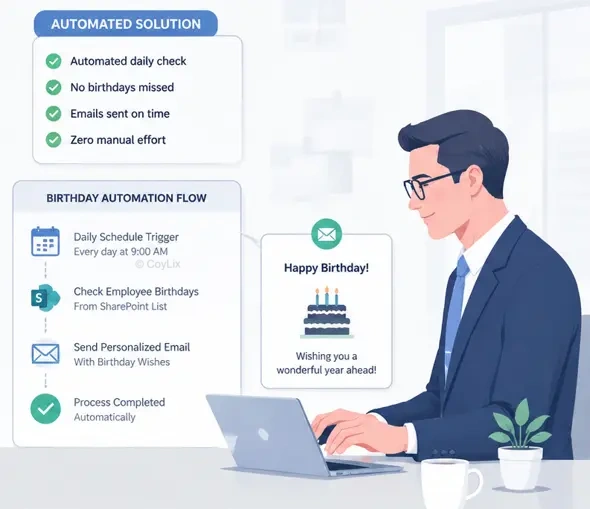
The solution uses Power Automate to check employee birthday records stored in SharePoint.
When a matching birthday is found, the flow automatically sends a personalized email.
Key Features
- Scheduled daily execution
- SharePoint employee database
- Automated birthday matching
- Personalized HTML email
- Embedded birthday image
- No manual HR intervention
Architecture Overview
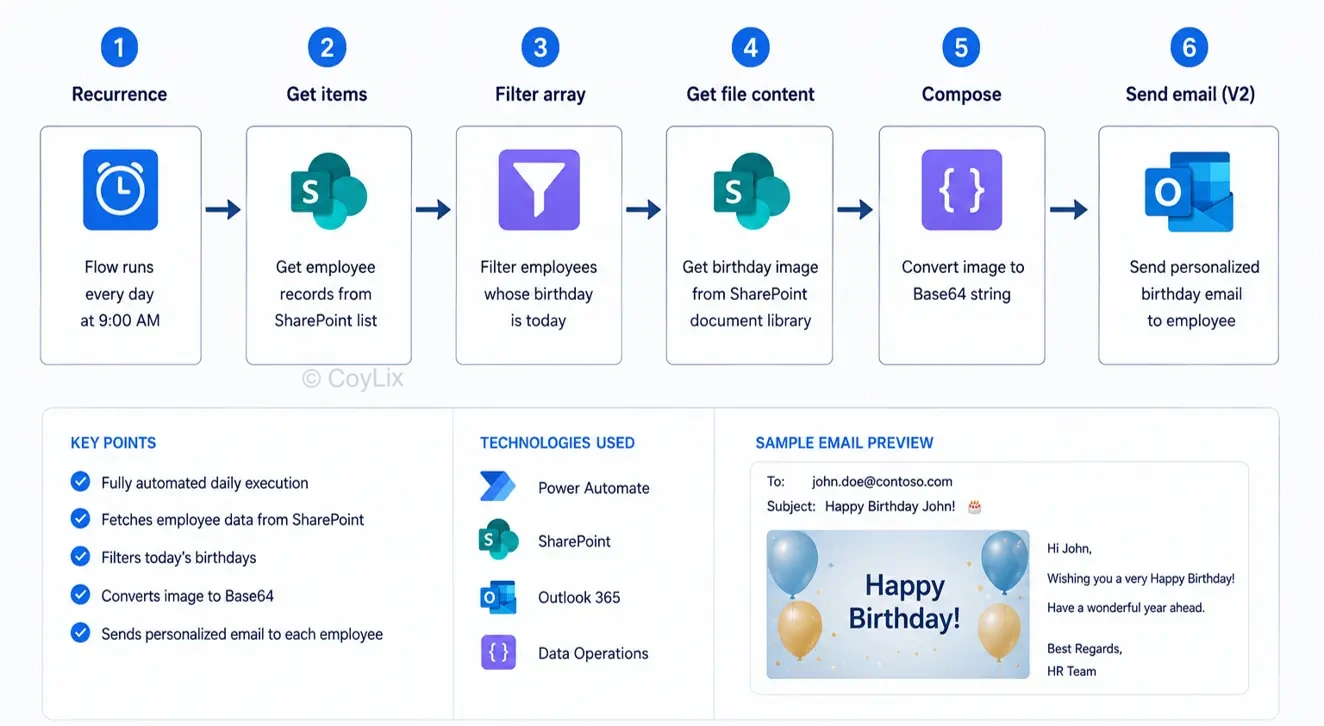
The solution follows a simple but scalable architecture.
Process Flow
- Scheduled Cloud Flow starts every morning
- Employee records are retrieved from SharePoint
- Birthday records matching today’s date are filtered
- Birthday image is retrieved
- Image is converted to Base64
- Personalized email is generated
- Email is sent automatically
This design keeps the solution simple while remaining suitable for real business use.
Technologies Used
Core Technologies
- Power Automate
- SharePoint Online
- Outlook Connector
- HTML Email Templates
- Base64 Image Encoding
Alternative Technologies
- Dataverse
- SQL Server
- Excel
- SendGrid
- Azure Key Vault
SharePoint Data Source Design
A SharePoint list is used to store employee information.
Columns Used
| Field | Purpose |
|---|---|
| Employee Code | Unique Identifier |
| Employee Name | Employee Name |
| Date of Birth | Birthday |
| Day | Day Number |
| Month | Month Number |
| Email Address | Email Recipient |
Important Design Decision
Instead of using calculated columns, separate Day and Month columns were created.
This improves filtering performance and avoids limitations in SharePoint OData queries.
Step-by-Step Implementation
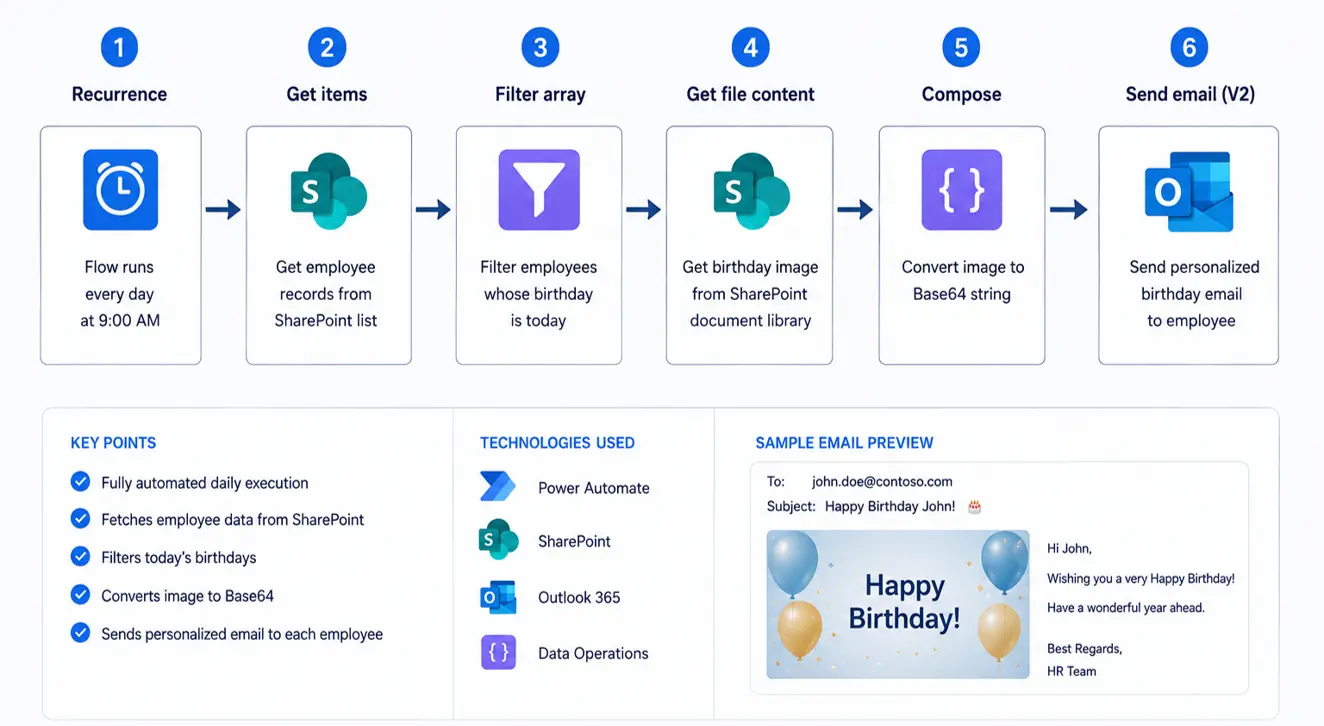
Step 1: Create Scheduled Cloud Flow
The flow runs every day at a fixed time.
Example: 9:00 AM daily
This ensures birthday emails are delivered automatically.
Step 2: Get Employee Records
Use the SharePoint Get Items action to retrieve employee information.
Step 3: Filter Matching Birthdays
- Day = Today’s Day
- Month = Today’s Month
Only matching employees move to the next step.
Step 4: Retrieve Birthday Image
Get the birthday image from a SharePoint document library.
Step 5: Convert Image to Base64
Convert image content into Base64 format.
This allows the image to be embedded directly into the email.
Step 6: Send Personalized Email
Generate dynamic HTML content and send birthday wishes automatically.
Real Challenges and Solutions
Challenge 1: Calculated Columns
Problem: Calculated columns do not work efficiently in SharePoint filter queries.
Solution: Created separate Day and Month fields.
Challenge 2: Email Image Rendering
Problem: External image URLs often fail inside email clients.
Solution: Converted image content to Base64 before embedding.
Challenge 3: Large Images
Problem: Large images increase email size.
Solution: Used optimized images stored in SharePoint.
Challenge 4: Multiple Employees Sharing Birthdays
Problem: Multiple employees may have birthdays on the same day.
Solution: Used Apply to Each loop for independent email processing.
Challenge 5: Dynamic HTML Formatting
Problem: Different email clients render HTML differently.
Solution: Used inline CSS and tested formatting carefully.
Interview Questions You Can Expect
Why did you use a Scheduled Cloud Flow?
Because birthday emails must be sent automatically every day without manual intervention.
Why SharePoint instead of Excel?
SharePoint offers better scalability, permissions, collaboration, and centralized storage.
Why convert the image to Base64?
Base64 ensures images display reliably across email clients.
How would you avoid duplicate emails?
Maintain a logging table and verify whether an email has already been sent.
How would this scale for 10,000 employees?
- Indexed columns
- Optimized queries
- Logging
- Dataverse or SQL if required
How would you implement logging?
- Employee Name
- Email Status
- Timestamp
- Success/Failure Message
Store these in a dedicated SharePoint log list.
Resume Project Description (Copy This)
- Developed scheduled HR automation using Power Automate.
- Integrated SharePoint employee records as the primary data source.
- Implemented personalized HTML email notifications.
- Embedded birthday images using Base64 encoding.
- Designed optimized OData filter queries for improved performance.
- Reduced manual HR effort through full automation.
- Implemented error handling and logging for production reliability.
Project Responsibilities
- Requirement gathering and analysis
- SharePoint list design
- Workflow development in Power Automate
- HTML email template creation
- OData query optimization
- Testing and debugging
- Deployment and validation
How This Project Can Be Extended
- Job Anniversary Emails
- Employee Onboarding Emails
- Employee Appreciation Programs
- Training Reminders
- HR Notifications
- Team Announcements
Want More Resume-Ready Projects?
I’m currently building an Advanced Power Automate Resume Ready Project Pack designed for professionals preparing for Power Platform jobs and interviews.
The Pack Will Include
- End-to-end projects
- Architecture explanations
- Interview-focused discussions
- Resume positioning guidance
- Production-level challenges
- Complete POCs
Frequently Asked Questions
Is this project suitable for beginners?
Yes. The project is beginner-friendly while still covering real-world concepts.
Can I add this project to my resume?
Yes. This project demonstrates practical Power Automate skills that recruiters often look for.
Why use SharePoint instead of Excel?
SharePoint is more scalable and suitable for business applications.
Can this project be used in interviews?
Absolutely. The project includes business requirements, design decisions, challenges, and solutions.
Can I use Dataverse instead of SharePoint?
Yes. Dataverse is a great enterprise alternative.
What skills will I learn from this project?
- Power Automate
- SharePoint Integration
- HTML Email Design
- Base64 Encoding
- OData Filtering
- Automation Architecture




