
1. How do you implement column-level filtering in Model-Driven Apps?
Column-level filtering allows users to quickly narrow down data in views without creating multiple versions of the same view. It works similar to filtering products on an e-commerce website.
Column-level filtering is enabled via modern grids and can be implemented in two ways:
- Design-time filters: Created by makers and saved within views
- Run-time filters: Applied by users directly on columns
Steps to Add Design-Time Filters
- Go to Power Apps → Solutions (or Dataverse → Tables)
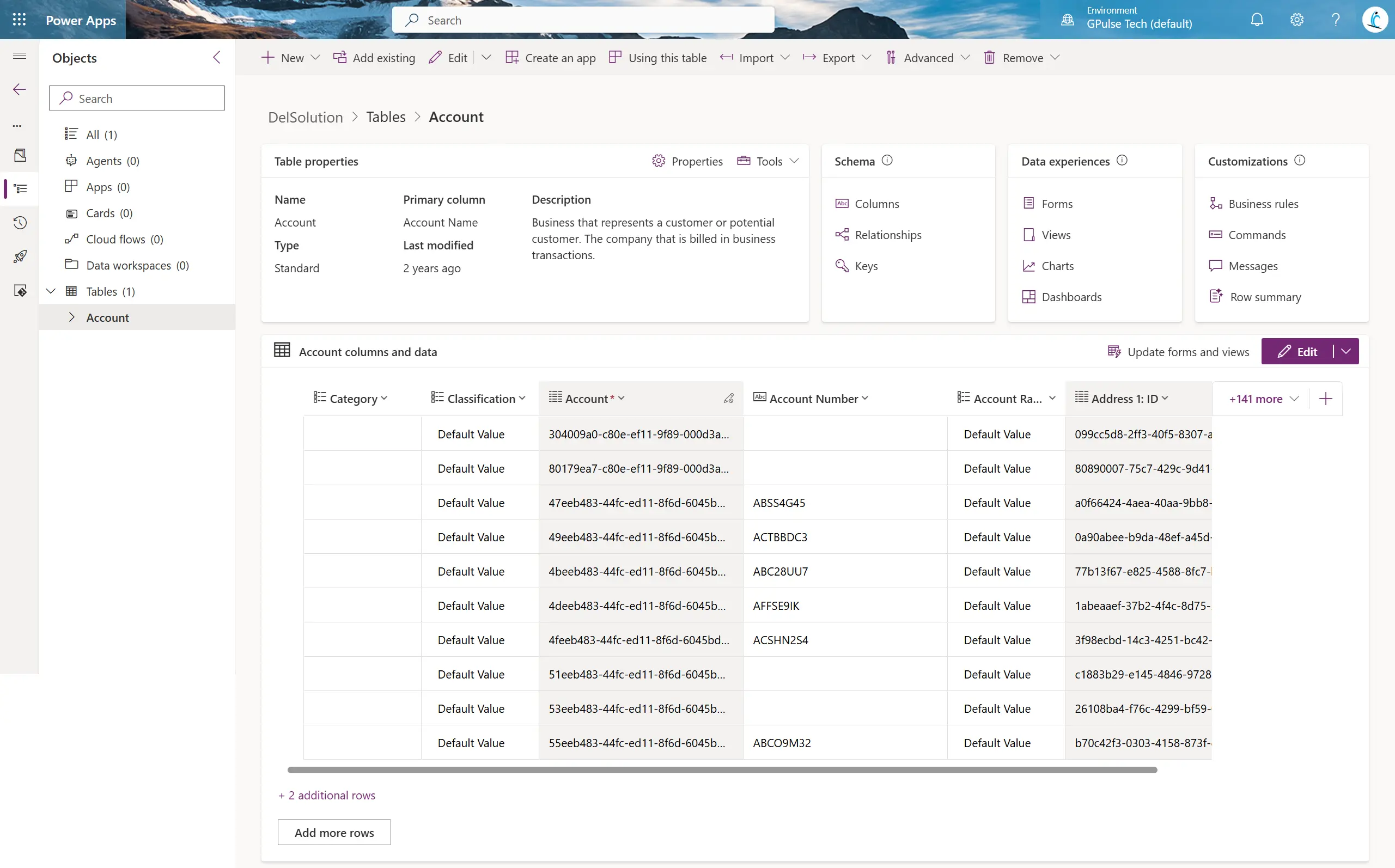
- Select a table and click on Views
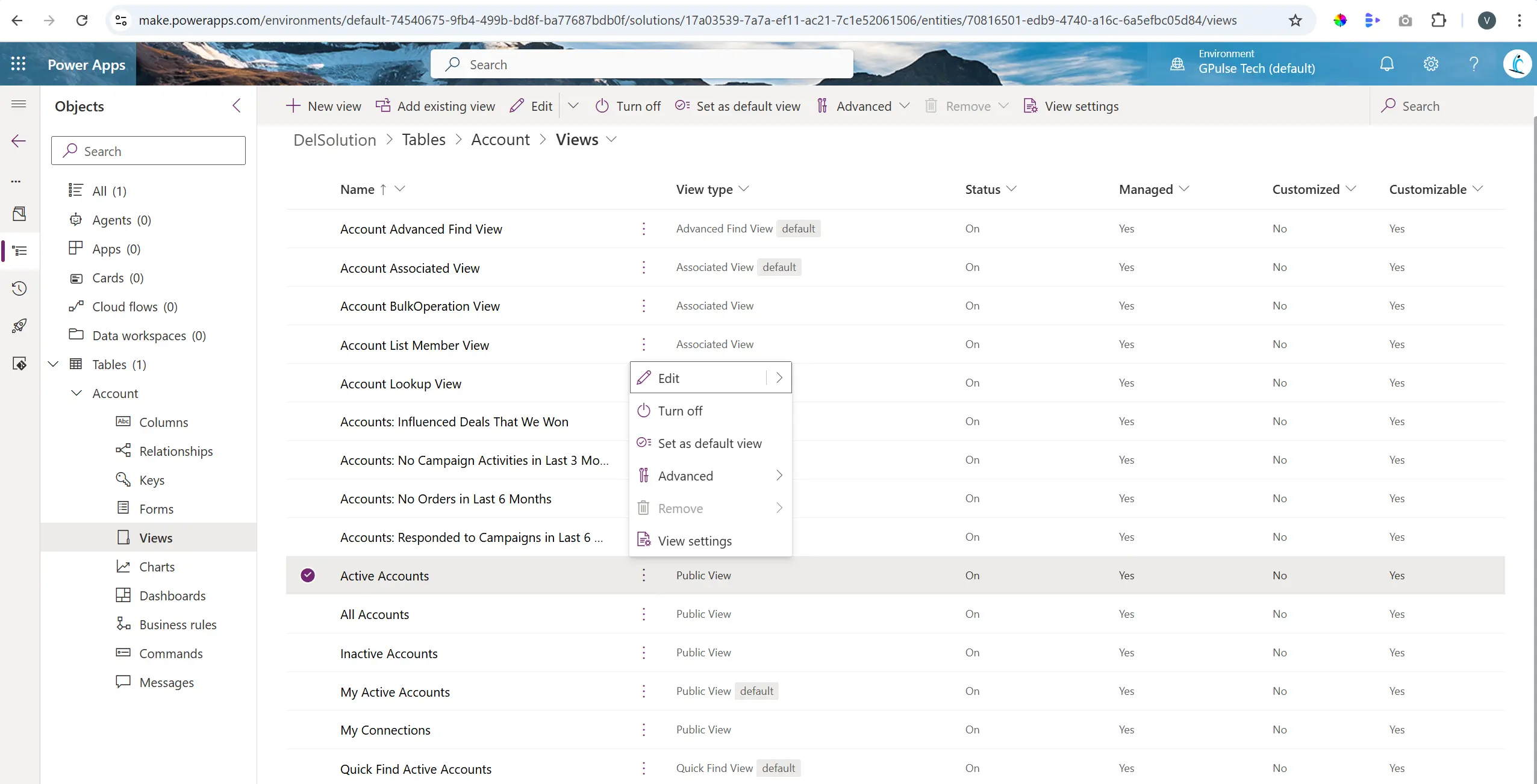
- Select a view and click Edit
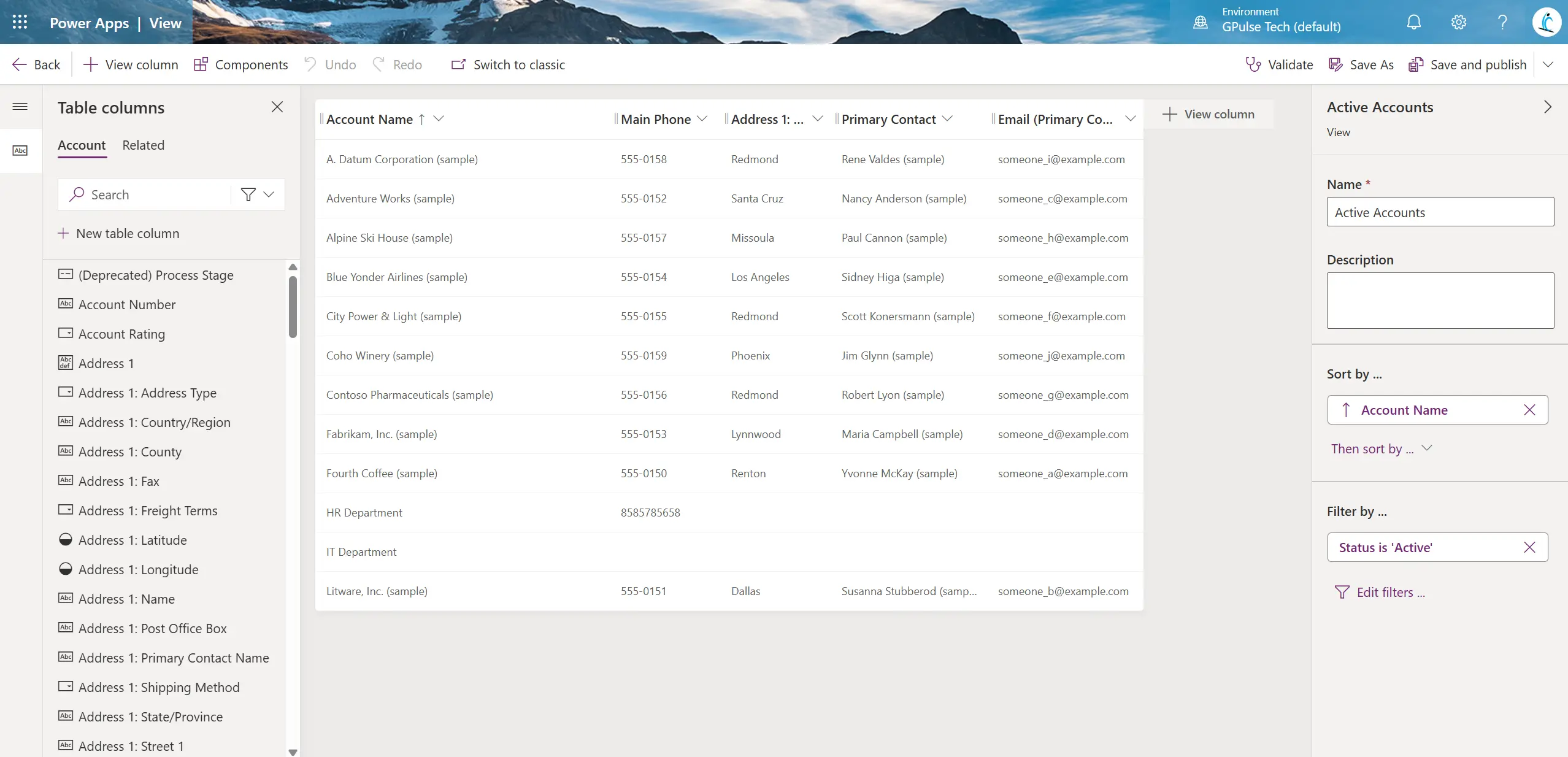
- Click on Edit Filters
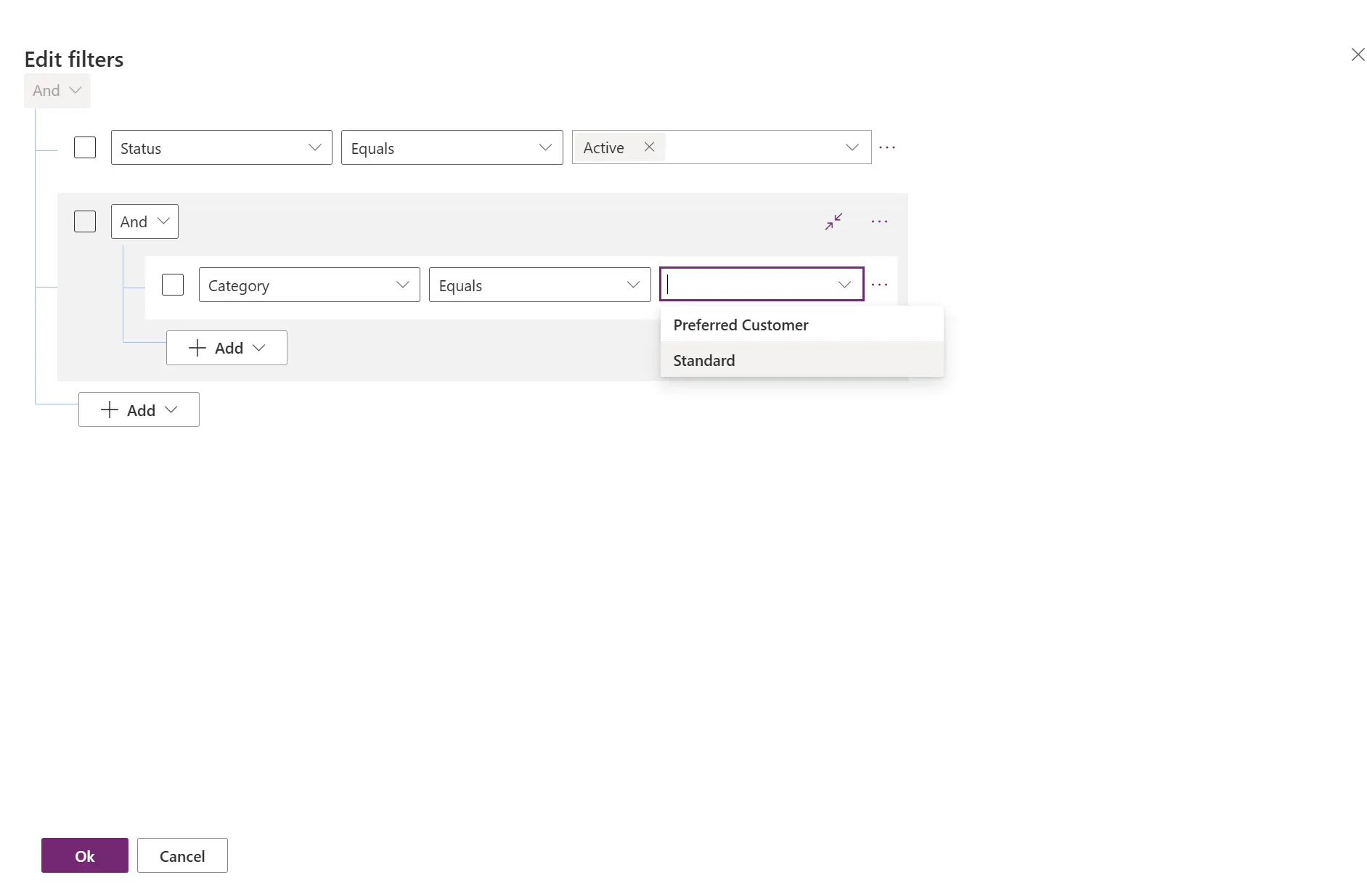
- Add filter criteria (example: Category)
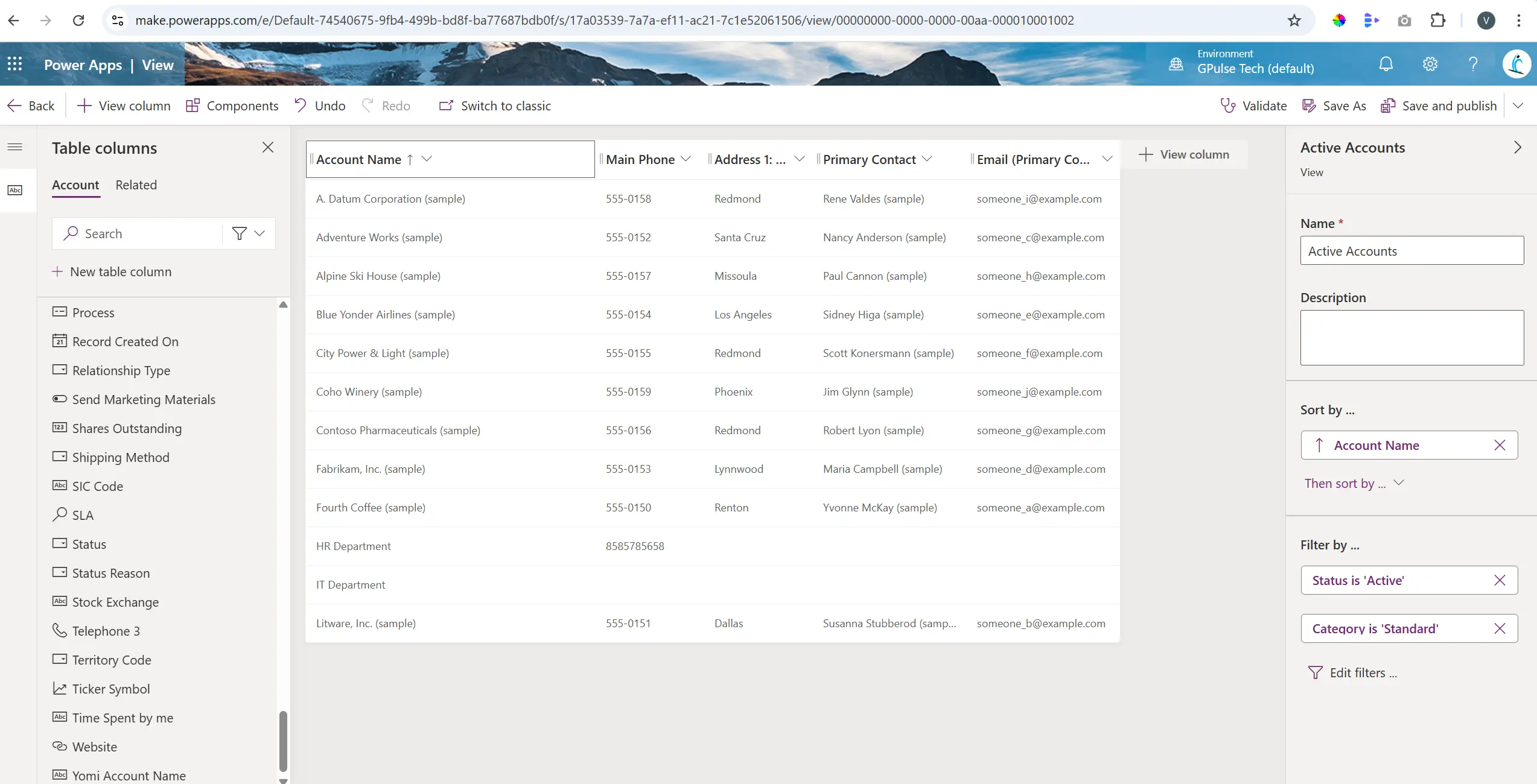
After saving and publishing, this filter becomes available across the Model-Driven App.
Run-Time Filtering
- Open the view in the app
- Click the column dropdown
- Select “Filter By”
- Apply condition (e.g., Account Name = IT Department)
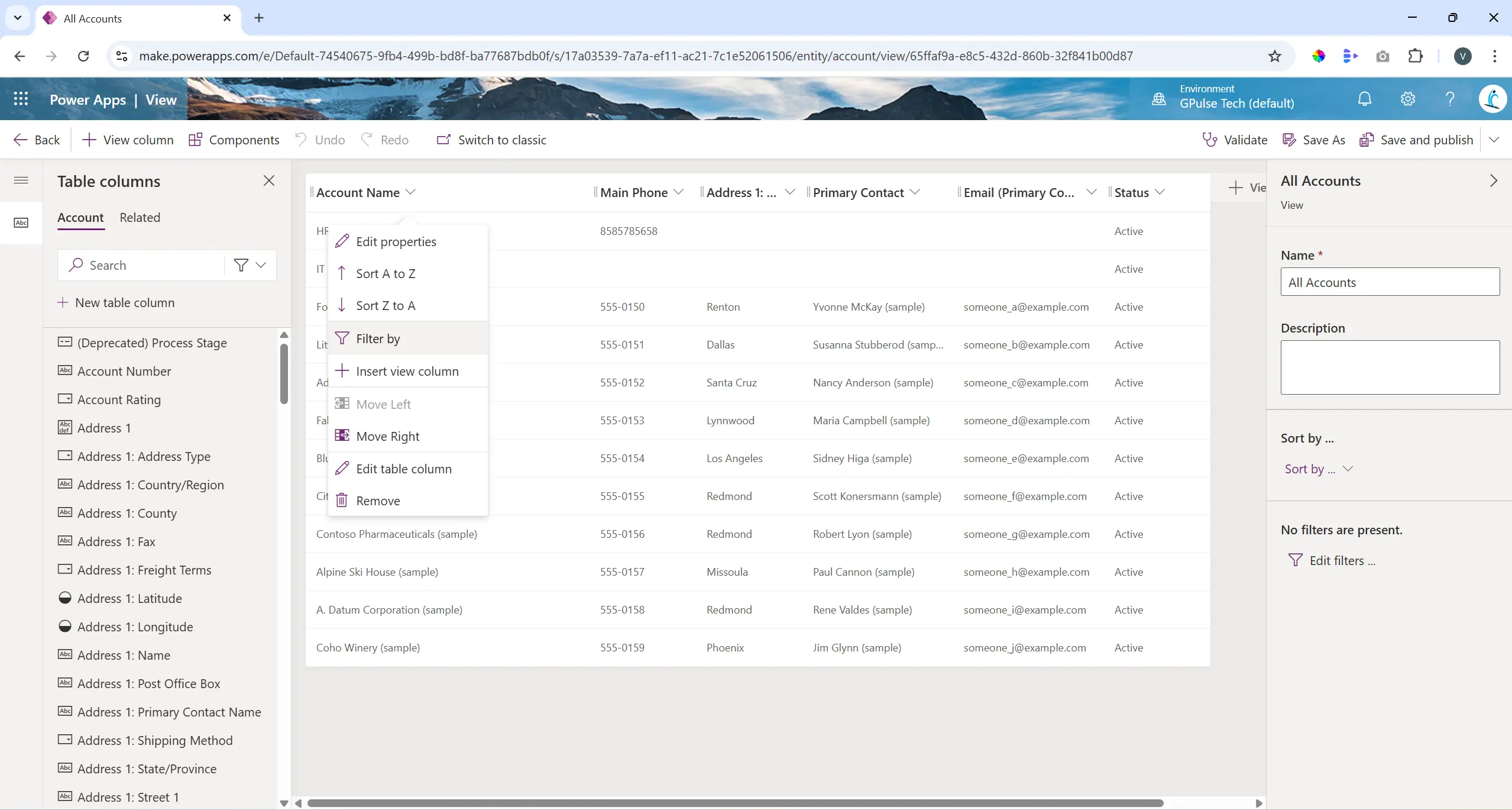
Key Takeaway: Makers define default filters, while users refine data dynamically without modifying the view.
2. What is the difference between Owner Teams and Access Teams?
Think of Owner Teams as record owners and Access Teams as collaborators.
- Owner Teams:
- Can own records
- Have security roles
- Permissions apply to owned records
- Access Teams:
- Provide temporary access
- Do not own records
- No security roles
Navigate to Power Platform Admin Center → Environment → Settings → Teams to view team types.
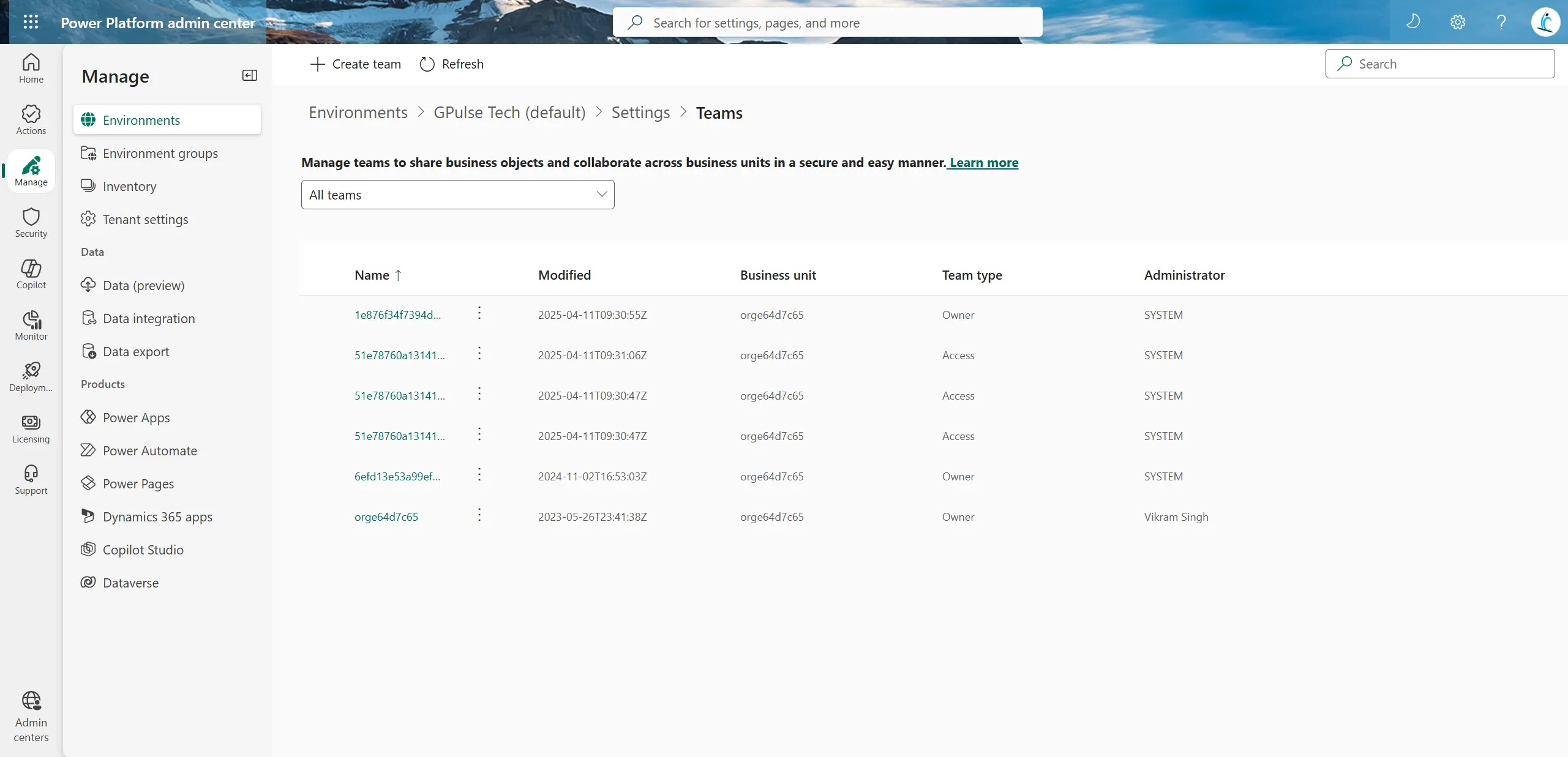
You can convert an Owner Team into an Access Team from the same interface.
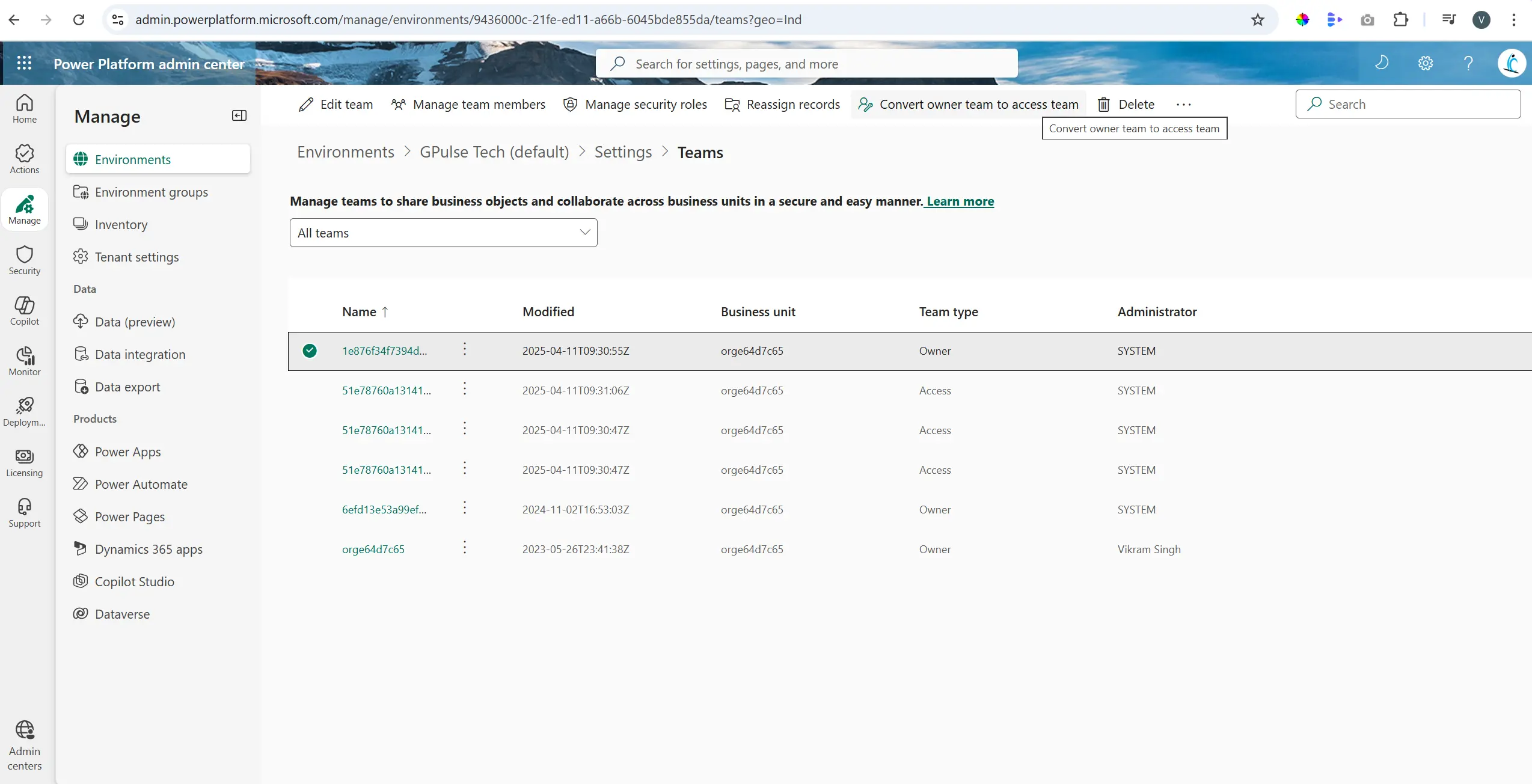
Key Takeaway: Owner Teams manage records and security, while Access Teams enable collaboration without ownership.
3. What are Dashboards in Model-Driven Apps and why are they important?
Dashboards provide a consolidated view of business data using charts, lists, and KPIs.
Types of Dashboards
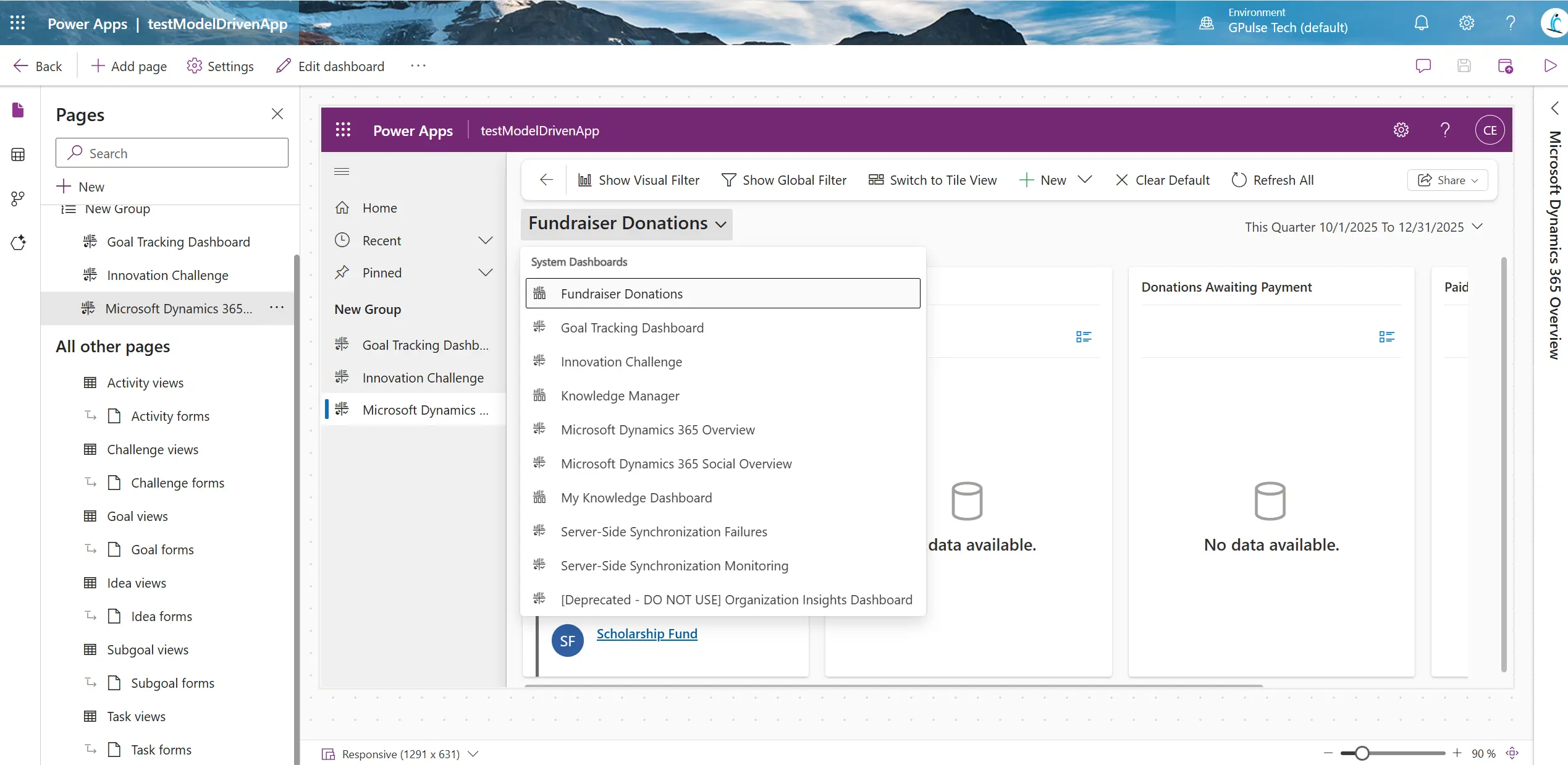
- System Dashboards: Created by admins and visible based on roles
- User Dashboards: Personal dashboards created by users
- Interactive Dashboards: Advanced dashboards with filters and drill-down capabilities
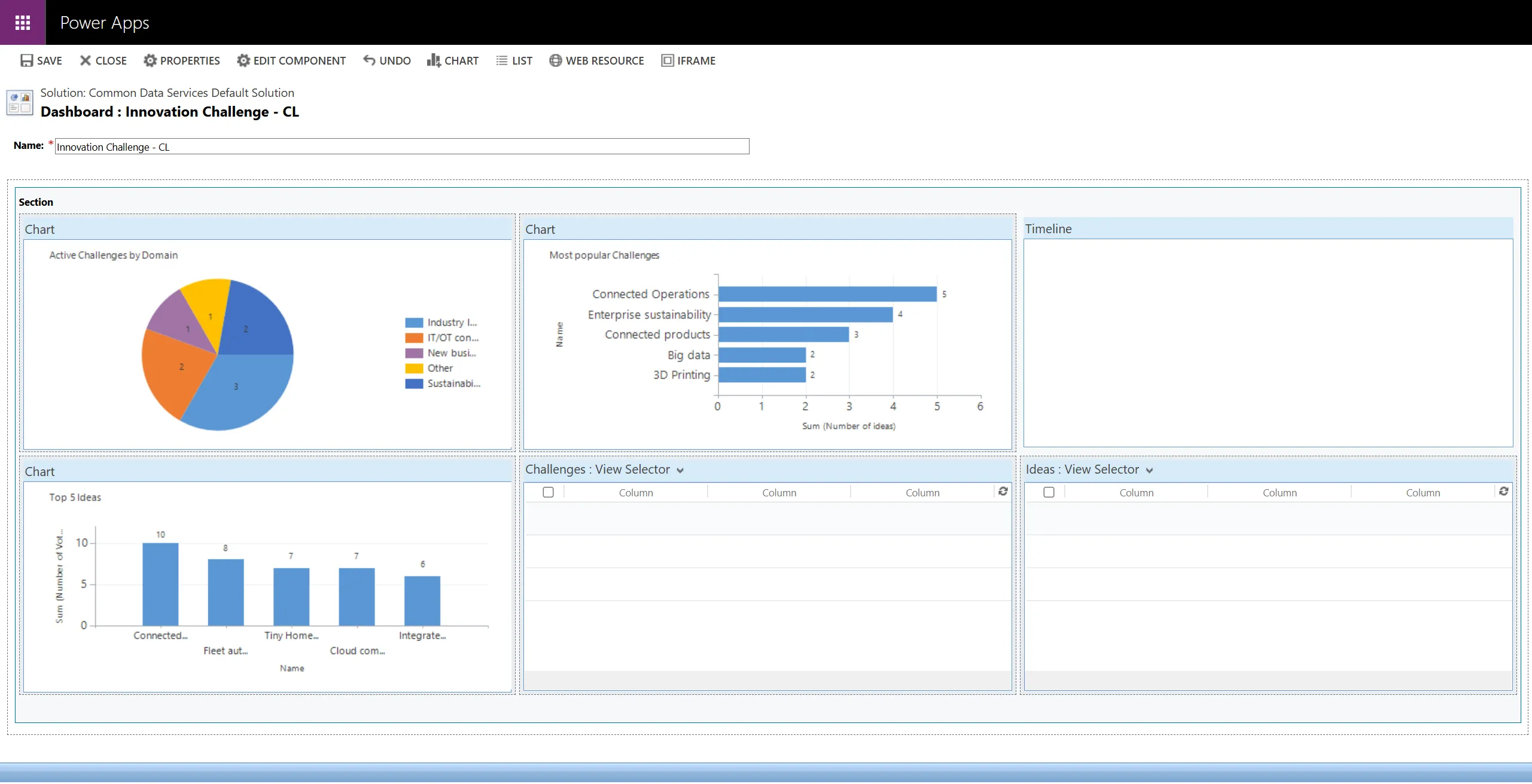
Example Dashboard Components
- Pie chart: Active Challenges by Domain
- Bar chart: Most Popular Challenges
- Bar chart: Top 5 Ideas
- View selectors for multiple tables
Key Takeaway: Dashboards combine multiple data points into one screen, improving decision-making.
4. What are Charts in Model-Driven Apps? How do they differ from Dashboards?
Charts provide a focused visual representation of data, while dashboards combine multiple visuals for broader insights.
- Charts: Single dataset visualization (e.g., Opportunities by Status)
- Dashboards: Multi-component view across tables
Key Differences
- Charts → single table, single visual
- Dashboards → multiple tables, multiple visuals
- Charts → used inside views/forms
- Dashboards → separate navigation screen
Key Takeaway: Charts give focused insights, dashboards provide the full business picture.
5. What is the difference between Lookup, Customer, and Owner fields in Dataverse?
- Lookup Field: Links to a single table (e.g., Product)
- Customer Field: Can reference Account or Contact
- Owner Field: Assigns ownership to User or Team
Comparison
- Lookup → one table reference
- Customer → Account OR Contact
- Owner → User or Team (security context)
Key Takeaway: Lookup = single reference, Customer = flexible customer reference, Owner = record ownership.




