
Questions Section
1. How do you optimize performance in large Model-Driven Apps?
Think of a large app like a busy highway. To keep traffic moving fast, you widen lanes, remove slow vehicles, use express lanes, and control traffic signals. The same principle applies to Model-Driven Apps.
The goal is to optimize the data model, forms, code, and integrations so the app loads less data, queries faster, and uses fewer server resources.
Optimize the Data Model
- Add indexes to columns used in filtering and sorting
- Archive old or historical records
- Remove unused columns
- Keep tables lean and avoid unnecessary fields
Optimize Views and Queries
- Show only required columns in views
- Use filtered views and server-side paging
- Reduce heavy subgrids
- Index searchable columns
Optimize Forms and UI
- Use fewer tabs and controls
- Load subgrids only when needed
- Use optimized JavaScript files
- Split one large app into smaller role-based apps
Optimize Plugins and Automation
- Use async Power Automate flows for non-critical tasks
- Reduce repeated Dataverse calls
- Remove unnecessary synchronous operations
Example: If a Sales app has many tables and views, create separate apps for Sales Reps and Managers.
Key Takeaway
Keep the data, forms, views, and logic lightweight — index smartly, reduce heavy components, and push non-critical work to async processing.
2. When should you use Plugins instead of Power Automate?
Think of the system like a train ticket counter.
Plugins are like rules built inside the machine. They validate instantly before the ticket is issued.
Power Automate is like a notification sent after the ticket is issued.
Use Plugins When:
- Logic must run instantly during save
- Need validations before record creation
- Need calculations during save
- Need high performance inside Dataverse
Use Power Automate When:
- Send emails
- Create notifications
- Update SharePoint
- Handle external integrations
| Feature | Plugins | Power Automate |
| Where it runs | Inside Dataverse (server-side) | Outside Dataverse |
| Speed | Instant, real-time | Slower, usually runs in background |
| Best for | Complex logic, validations, calculations during record save | Notifications, integrations, multi-system workflows |
| Performance | High, tightly integrated | Easier to build but less efficient for critical tasks |
Example: Validate tax before saving invoice = Plugin. Send email after save = Power Automate.
3. How do you debug JavaScript errors in Model-Driven Apps?
JavaScript in Model-Driven Apps runs on forms, ribbons, and events.
Best Debugging Steps
- Open browser Developer Tools (F12)
- Use Console tab to view errors
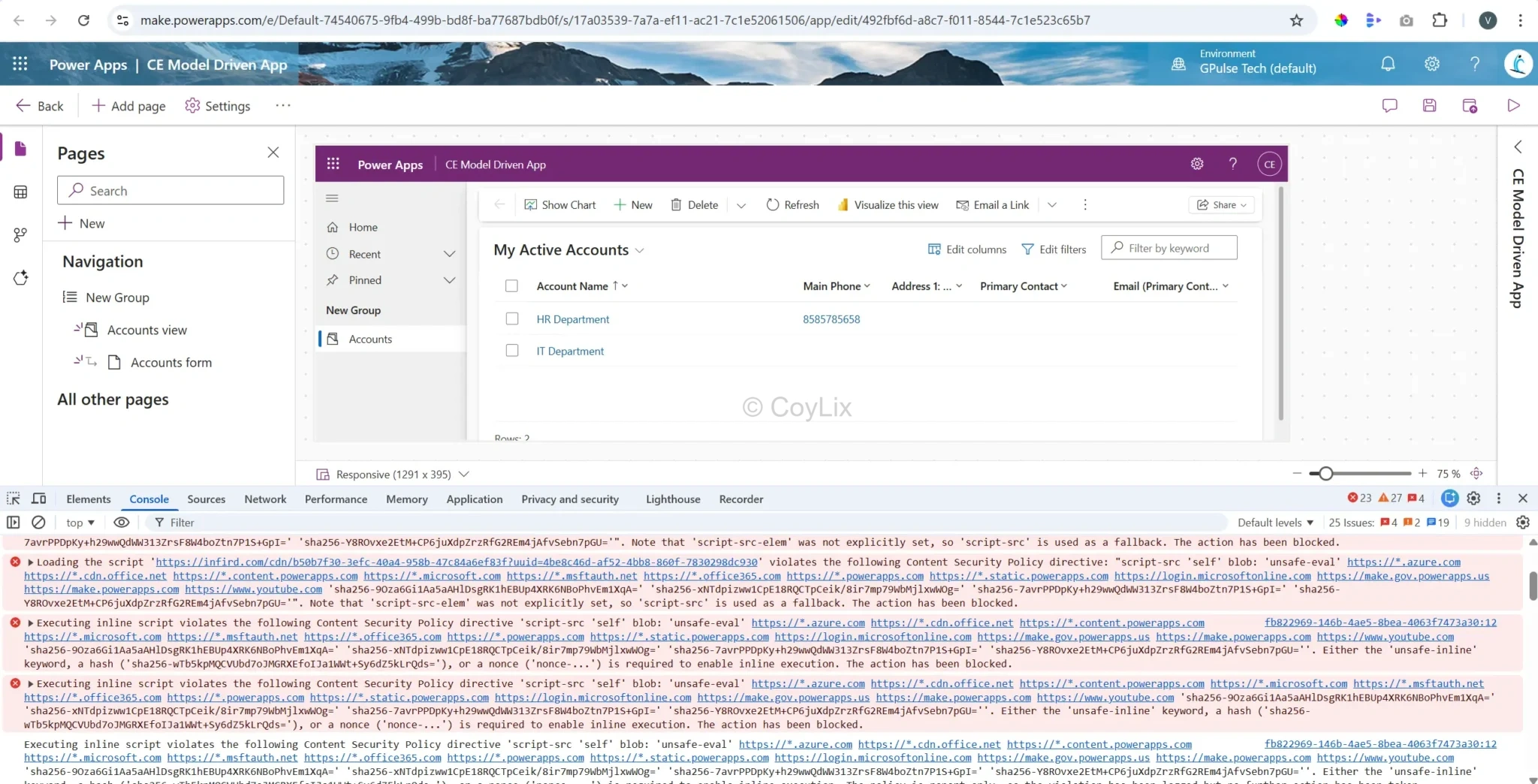
- Use Sources tab to apply breakpoints
- Check Network tab for API failures
- Use console.log() for quick checks
- Use try-catch blocks for handling errors
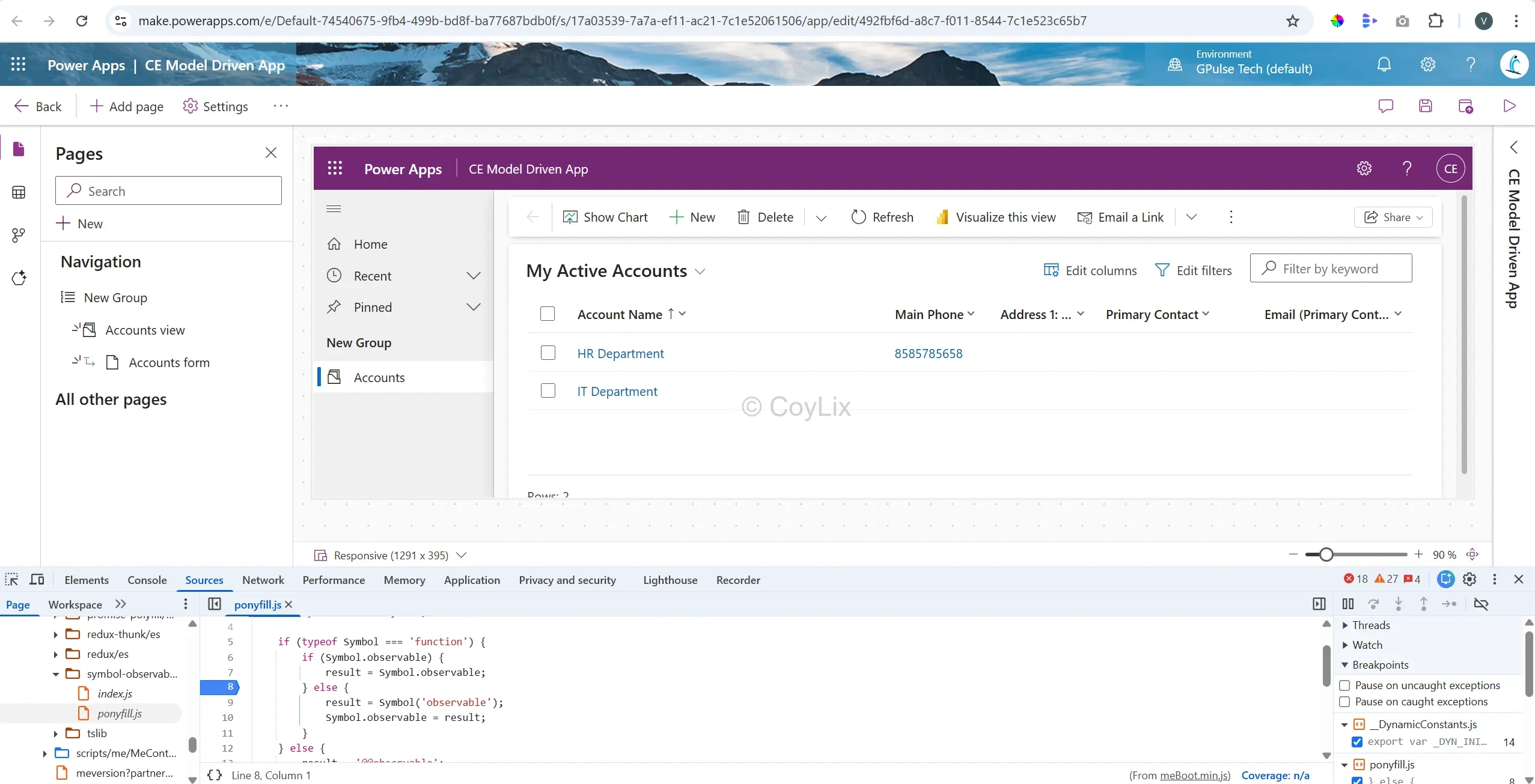
You can also add breakpoints in your JavaScript file to inspect step-by-step execution.
As an example, I have added breakpoint in console by adding Ponyfill.js. You can add your Js file where you want to perform debugging.
4. How do you migrate a Model-Driven App from Dev to Test to Prod?
Migration is like moving a product from workshop to testing room and then to showroom.
Recommended Approach: Power Platform Pipelines
- Build app in Dev using unmanaged solution
- Set Dev as source and Test/Prod as target
- Deploy to Test automatically as managed solution
- Apply environment variables
- Fix connection references
- Promote same release to Production
Why Pipelines? Fewer manual steps, fewer mistakes, and consistent deployments.
Traditional Manual Approach
- Build in unmanaged solution
- Export managed solution
- Import into Test
- Retest and move to Prod
Optional Step
Use Configuration Migration Tool, Dataflows, or Data Import for reference data.
Main Takeaway:
“Use browser DevTools (Console + Sources) to find and fix JavaScript errors in Model-Driven Apps.
5. How do you implement custom validation that Business Rules cannot handle?
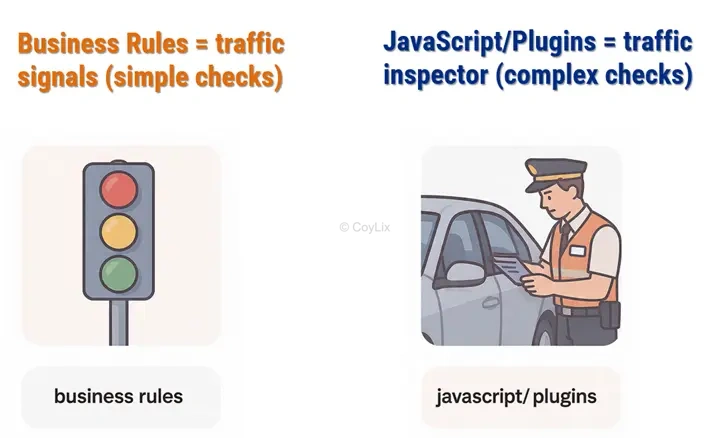
Business Rules are like traffic signals. They handle simple stop/go logic. Complex checks need a traffic inspector — JavaScript or Plugins.
Use JavaScript (Client-side)
- Runs instantly on form events
- Shows messages to users
- Can stop save on form
- Best for quick UI validations
Use Plugins (Server-side)
- Runs inside Dataverse before save
- Can fully block operation
- Works for API and imports also
- Best for guaranteed validations
Use PCF (Optional)
Use when validation needs a custom control or custom UI.
Example: If Order Amount is greater than Customer Limit:
- JavaScript warns user instantly
- Plugin blocks save everywhere
Key Takeaway: Use JavaScript for form checks and Plugins for secure server-side enforcement.




