When you start working with Microsoft Power Apps, Power Automate, or Dataverse, one of the first concepts you must understand is the Power Platform Environment.
Although it sounds technical, the idea is actually very simple once explained properly.In real projects, environments play a major role in security, governance, data protection, and application lifecycle management (ALM).
Because of this, interviewers often expect candidates to explain environments clearly, not just define them.Let’s break it down in simple language.
What is a Power Platform Environment?
A Power Platform Environment is a separate and secure workspace where your organization creates and manages:
Power Apps (Canvas and Model-driven)
Power Automate flows
Copilot Studio chatbots
Dataverse data
Connections and policies
Each environment works independently.
That means apps, flows, and data inside one environment do not affect another environment.Think of an environment like a separate project room in an office.
Each room has its own people, documents, and rules.
In the same way, each Power Platform Environment has its own users, data, and security settings.
Why do organizations use multiple environments?
Organizations creates multiple environments to keep systems safe, stable, and well-managed. Following are the reasons.
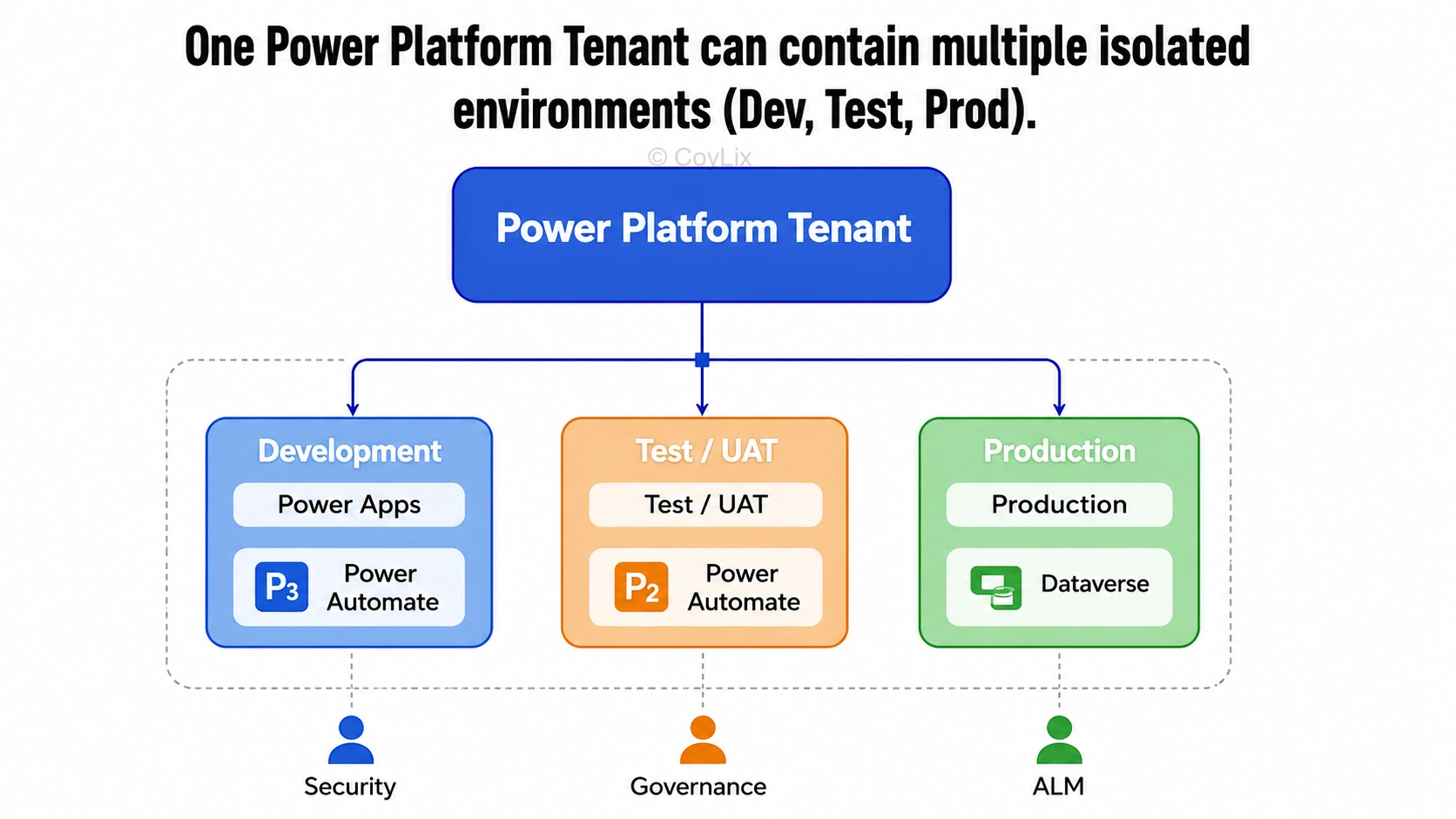
1. To separate Dev, Test, and Production
You never test new features directly in production.
Therefore, companies use:
Development environments for building
Test or UAT environments for validation
Production environments for live users
This separation prevents unfinished changes from breaking real business apps.
2. To control security and access
Different teams often need different levels of access.For example:
HR apps stay in the HR environment
Finance apps stay in the Finance environment
As a result, users only see what they are allowed to access.
3. To meet compliance and data residency rules
Each Power Platform Environment belongs to a specific geographic region, such as India, Europe, or the US.
All apps and data inside that environment stay within the same region.Because of this, environments help organizations follow GDPR, government, and legal compliance rules.
What is included inside an environment?
A Power Platform Environment can contain:
Power Apps (Canvas and Model-driven)
Power Automate flows
Copilot Studio chatbots
Connections and on-premises gateways
Security roles
Data Loss Prevention (DLP) policies
One Dataverse database (optional)
👉 Important rule:
Each environment can have only one Dataverse database.
How environments protect data
Power Platform enforces strict isolation rules.Apps and flows in one environment can only connect to resources within the same environment.For example:
A Test environment app cannot access Production Dataverse data.
A Development flow cannot trigger Production processes.
This rule protects organizations from accidental data exposure and security issues.
Common types of Power Platform Environments
Default Environment
Automatically created for every tenant. All users can build here, but it is not recommended for production apps.
Development or Sandbox Environment
Used for building and testing solutions. It can be reset if required.
Production Environment
Used for live business applications.
Developer Environment
Personal environment for learning, experimentation, or individual development.
Dataverse and Power Platform Environments
Dataverse is closely tied to environments.
Each environment can have only one Dataverse database
Dataverse uses the same geographic region as the environment
Model-driven apps and advanced features depend on Dataverse
Because of this, environments are critical for enterprise-grade Power Platform solutions.
How environments support ALM
Microsoft recommends using solutions to move components between environments.The typical flow is: Development → Test → Production
Final Summary
A Power Platform Environment is an isolated workspace
It stores apps, flows, chatbots, and data
Each environment has its own security and region
It can contain one Dataverse database
Environments are essential for governance and ALM
Dev, Test, and Prod environments are standard practice