
If you’re preparing for Power Apps interview questions, one topic you must confidently answer is Security Roles in Power Apps.
Security roles in Power Apps control what users can see and do inside apps — like accessing data, editing records or approving submissions — based on the role assigned to them.
🎬 Watch the Full Video Tutorial
Why do we need Security Roles in Power Apps?
Imagine you build an app used by:
- Employees
- Team Leads
- HR Managers
Everyone should not see the same data.
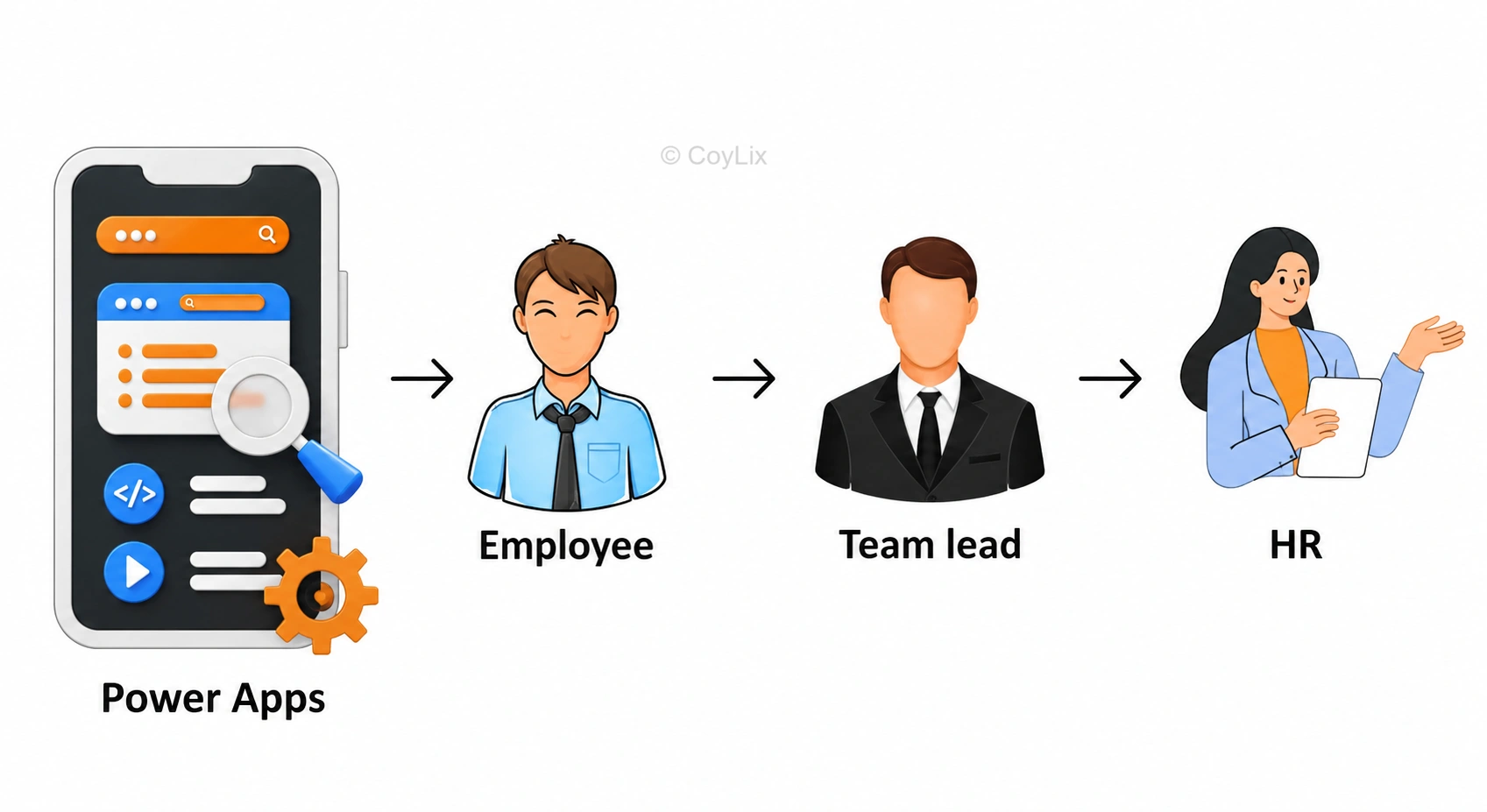
For example:
- Employee : Can see only their own records
- Team Lead : Can manage team data
- HR : Can access all employee data
That’s exactly the purpose of Security Roles in Power Apps.
What are Security Roles in Power Apps?
According to Microsoft, Security roles define how different users access different types of records in Dataverse.
In simple words: They control permissions like Create, Read, Write, Delete, Append, and Share and scope like User-level, Business-unit level or Organization-wide access.
🏦 Banking Analogy — Super Simple to Understand
Let’s understand user access levels using a Bank system:
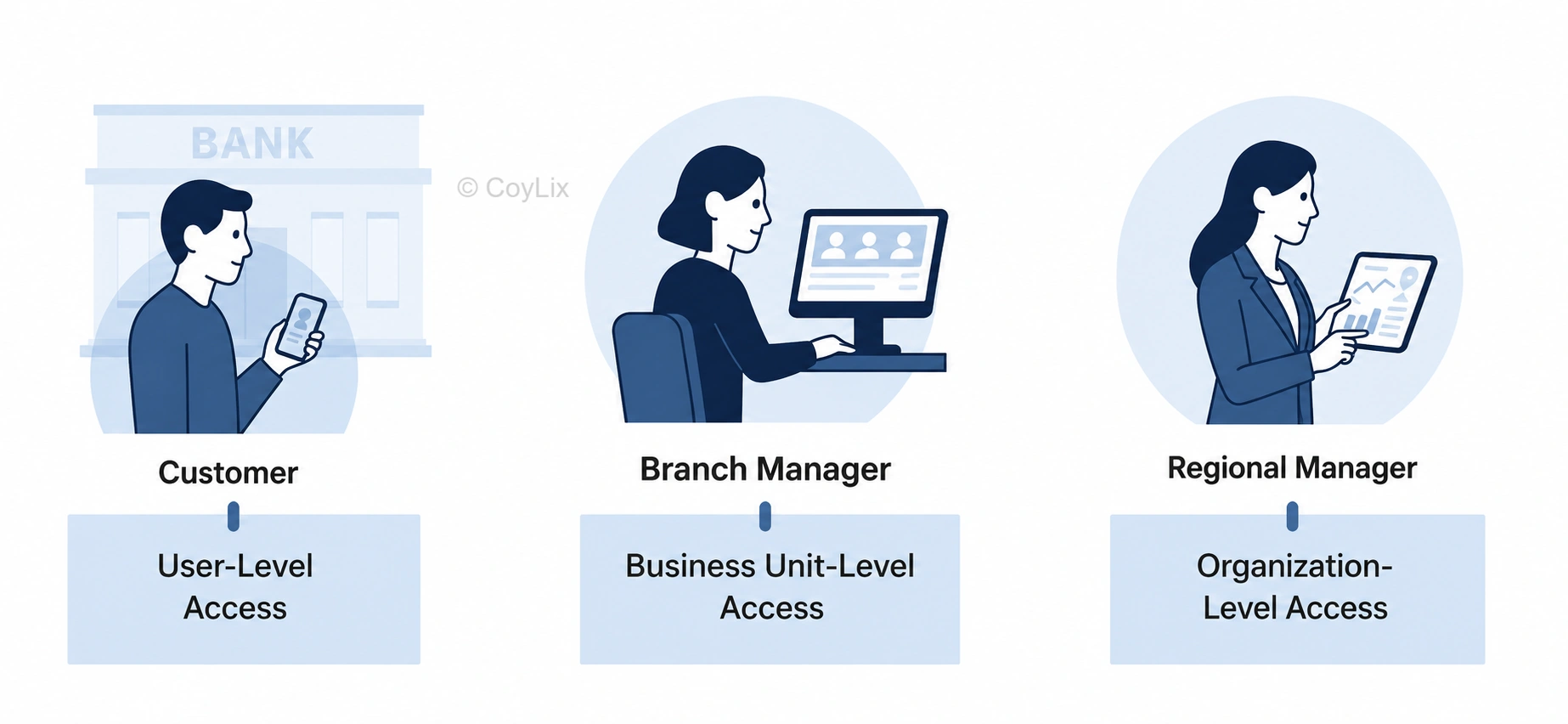
| Example Role | Access Level | Meaning |
| Customer | User-Level Access | Only their own account |
| Branch Manager | Business Unit-Level Access | Only their branch data |
| Regional Manager | Organization-Level Access | All branches and customers |
⚙️ How to Create Security Roles in Power Apps
Here’s how I practically explain it in an interview:
“I manage user access in Dataverse through security roles using the Power Platform Admin Center.”
Step-by-step:
1. Go to: https://admin.powerplatform.microsoft.com
2. Select Environment
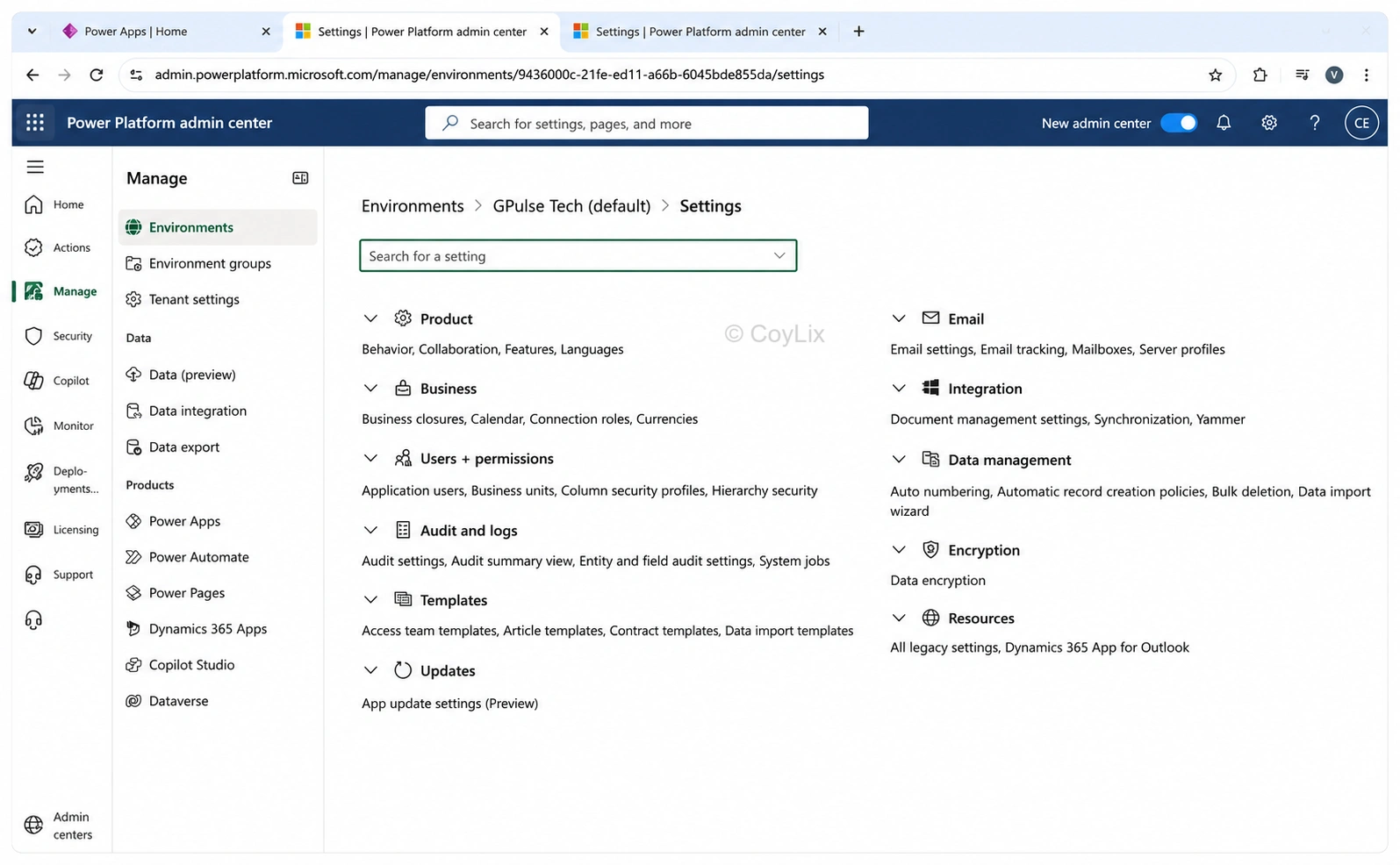
3. Go to Security Roles
4. Click New role
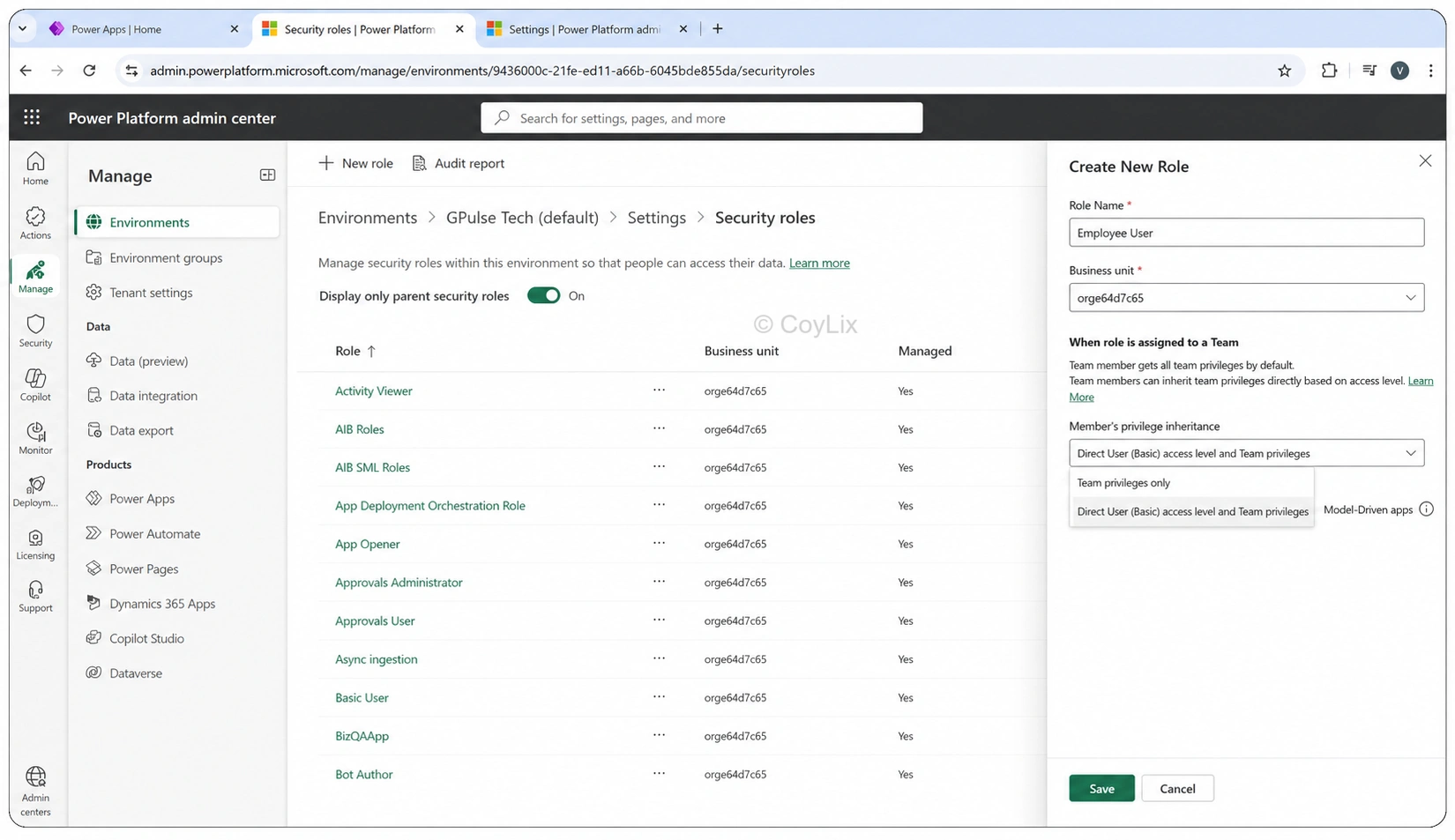
5. Enter name + Business unit
6. Choose privilege inheritance
7. Save the role
You can also copy an existing System Role and modify it.
Built-in Security Roles You Should Know
- Basic User : Default permissions for standard users
- System Administrator : Full control across environment
- System Customizer : Can customize tables, forms, apps but limited data access
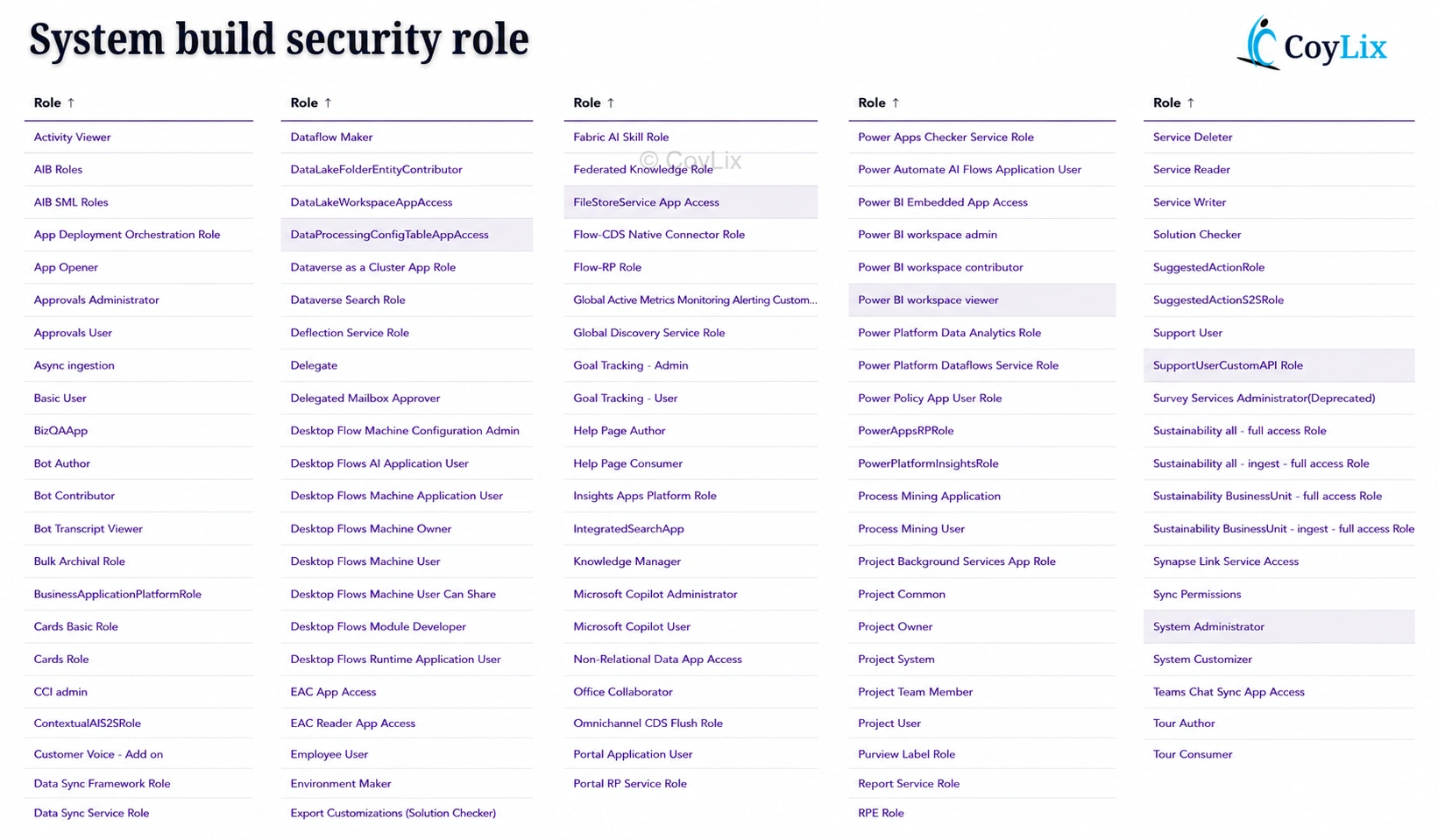
There are also special roles for:
- Microsoft Copilot
- Power Automate
- App management
Use these roles instead of giving System Admin to everyone
Real-World Interview Examples
Interviewers love real project explanations
Example #1 — Leave Management System
Used by:
- Employee → apply + view their own leaves
- Team Lead → approve leaves of their team
- HR → manage leave records company-wide
Implemented table-level, field-level, and record-level security. HR can view salary fields but employees cannot.
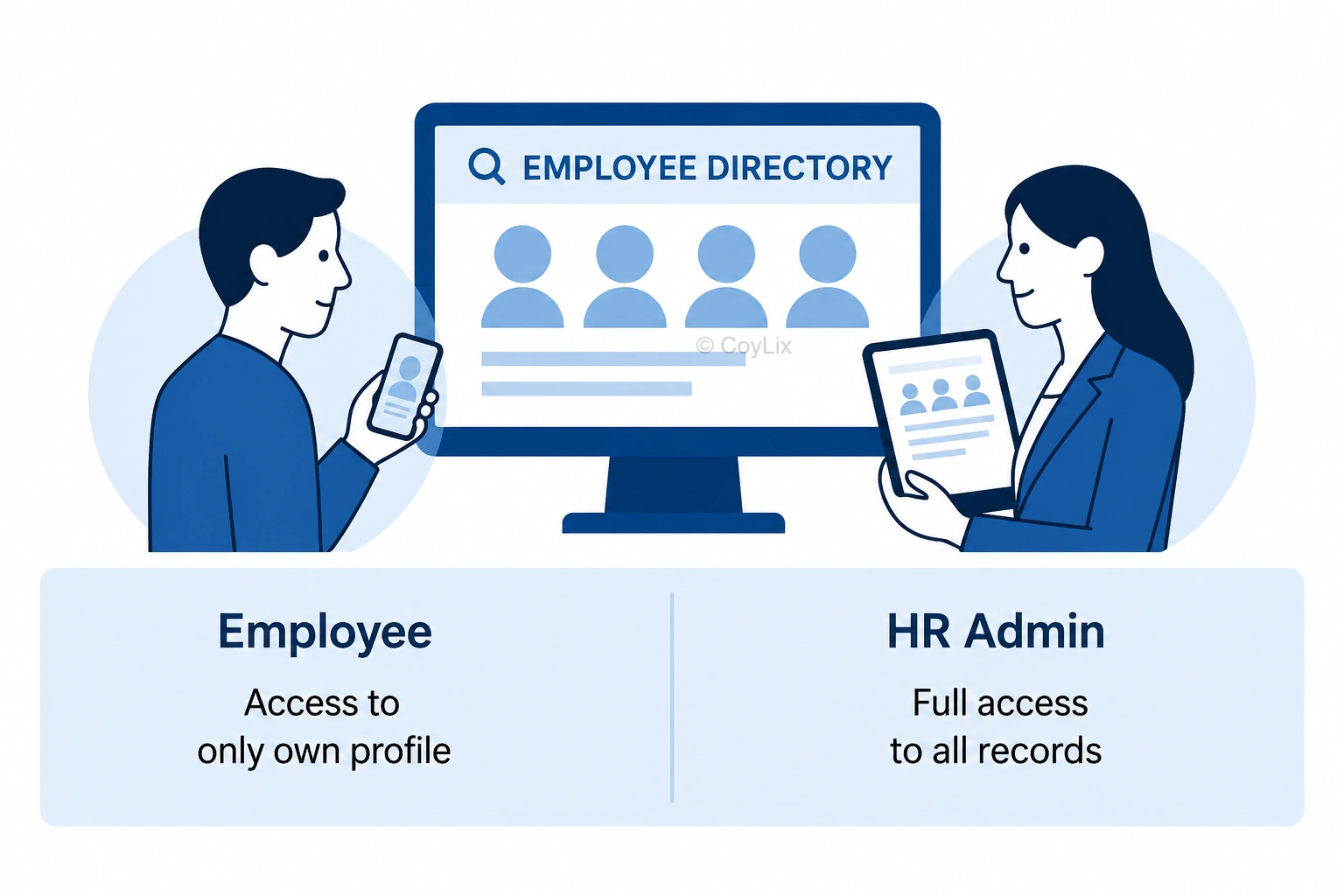
Example #2 — Employee Directory App
Used by:
- Employees → view only their own profile
- HR Admin → full view + edit permissions
Simple but clear privacy control
Pro Interview Tip
If asked: “Have you implemented Security Roles in Power Apps?” so instead of saying no, Answer this :
“Yes, I implemented record-level, field-level and role-based access in apps like Leave Management and Employee Directory apps using Security Roles in Dataverse.”
Summary — Key Takeaways
Topic What to remember
| Topic | What to remember |
| Why Security Roles? | Restrict access based on job role |
| What they control? | Tables, records, fields + actions |
| Access scopes | User / Business Unit / Organization |
| Where managed? | Power Platform Admin Centre |
| Interview tip | Always include real app examples |
If you remember this table → you already answer like a pro
Frequently Asked Questions (FAQs)
Q1: What are Security Roles in Power Apps?
They define what users can see and do in Power Apps based on permissions and access levels.
Q2: Where are Security Roles configured?
Inside Power Platform Admin Center → Environment → Security Roles.
Q3: Can we copy existing roles?
Yes. Copy a system role and change permissions instead of starting from scratch.
Q4: What is field-level security?
Restrict access to sensitive fields like salary — only allowed roles can view/edit.
Q5: Do Security Roles apply to Canvas Apps?
Yes Because Canvas Apps use Dataverse permissions for data access.
🎁 Download Your Free Power apps Interview Guide!

For 300+ Power Apps interview Questions, visit this page.




