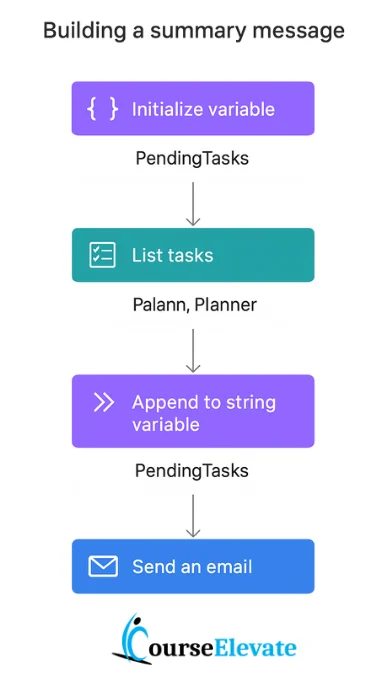
In Power Automate, variables act as temporary storage to hold and reuse values across different actions in a flow.
Key Points
- Initialization: Use the Initialize variable action to define a variable’s name, type (String, Integer, Boolean, Array, Object), and optional default value.
- Update or Append: Variables can be updated using Set variable or expanded using Append to variable (for strings/arrays).
- Usage: Once initialized, a variable can be referenced in conditions, loops, or action inputs, avoiding repeated calculations or data fetches.
- Best Practices: Initialize variables early, use them only when needed (e.g., counters, aggregations), and keep scope in mind for efficiency.
Example
A common use case is collecting pending tasks into a string variable during a loop, then inserting that variable into an email body to send a clean summary.
Summary
Variables make flows more dynamic, reusable, and efficient by enabling data sharing between actions.