

Environment variables in power apps:
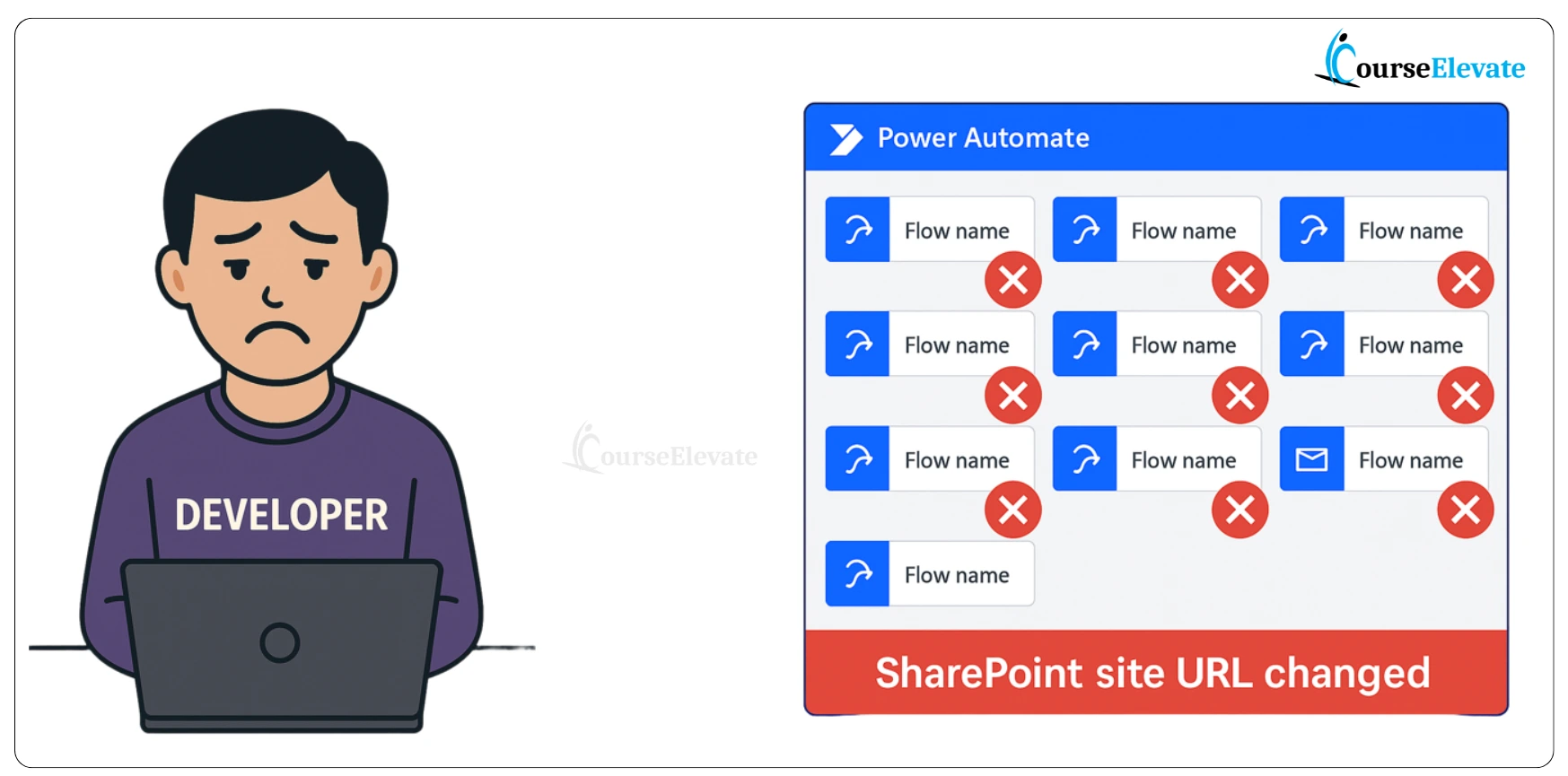
Have you ever updated 10 different Power Automate flows just because your SharePoint site URL changed?
If yes, you’ll instantly relate to this problem.
That’s exactly where Power Apps Environment Variables come to the rescue.
They allow you to you change configurations (like SharePoint URLs or API keys) without touching your logic, Therefore you don’t have to edit every app or flow again and again.
In this article, you’ll learn what are Environment Variable in Power Apps is, why they are important, and how to create them step-by-step.
As a result, you’ll understand how to make your deployments faster and safer across environments.
🎥 Watch the Video : Power Apps Environment Variables Explained with Example
Why We Need Environment Variables
Environment Variables act like configuration holders in Power Apps.
Instead of hardcoding URLs, API keys, or connection details in your app or flow, you keep them outside — so that when you move your solution from Development → QA → Production, you don’t need to edit each app or flow manually.
The Pain Without Environment Variables.
Without environment variables, you have to manually update every flow when your site URL changes.
Simple Example: Think Like Amazon
Imagine Amazon sending the same phone to two cities — Delhi and Bangalore.
Amazon doesn’t rebuild or reopen the box for every order. They just change the delivery label and ship it.
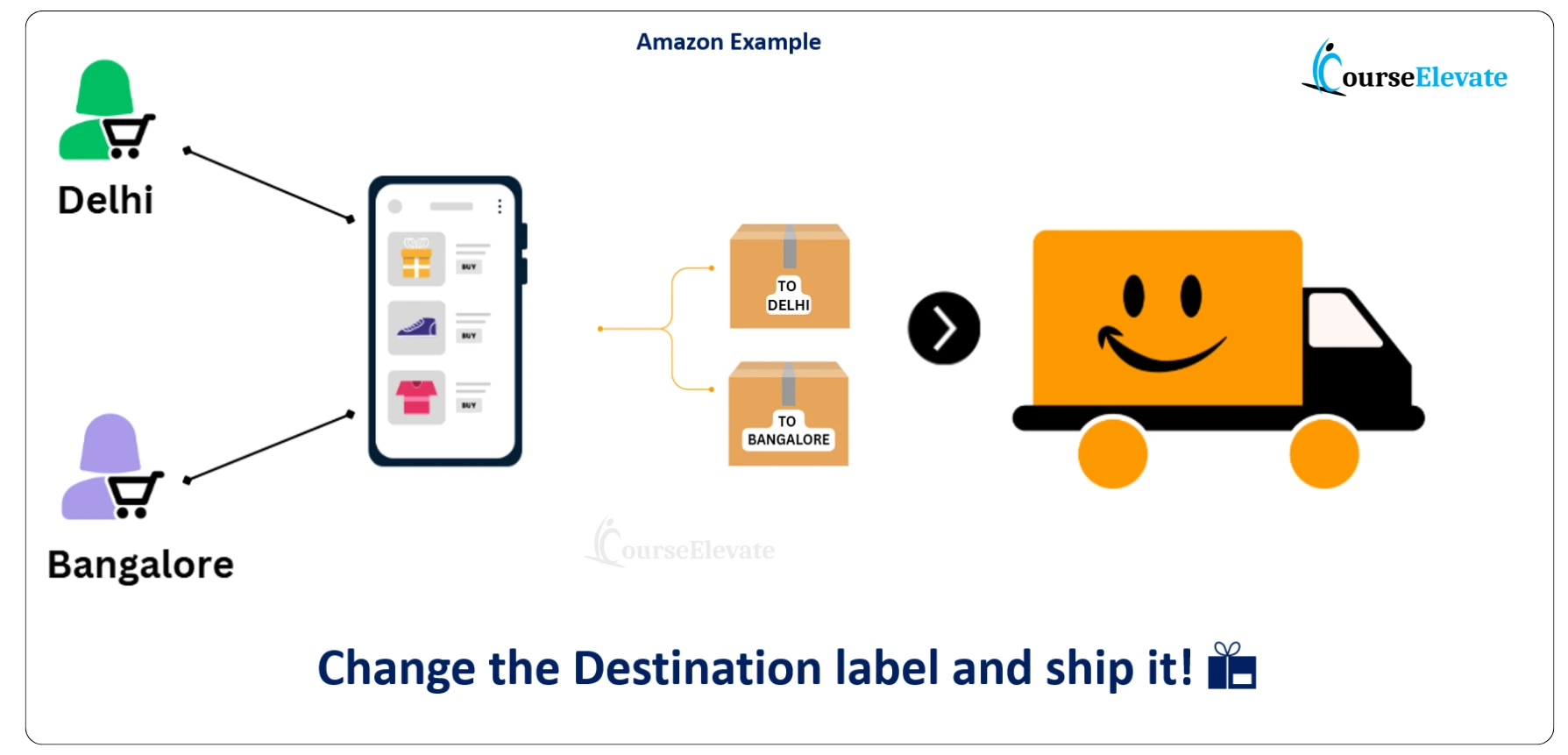
That’s exactly what Environment Variables do in Power Apps —
The logic remains the same, Only the destination (configuration) changes.
What Environment Variables Actually Do
Environment variables help you:
- Change destinations dynamically (like SharePoint URLs, API keys, endpoints)
- Keep logic and configuration separate
- Deploy confidently across multiple environments
- You can build once and deploy anywhere without rewriting your logic.
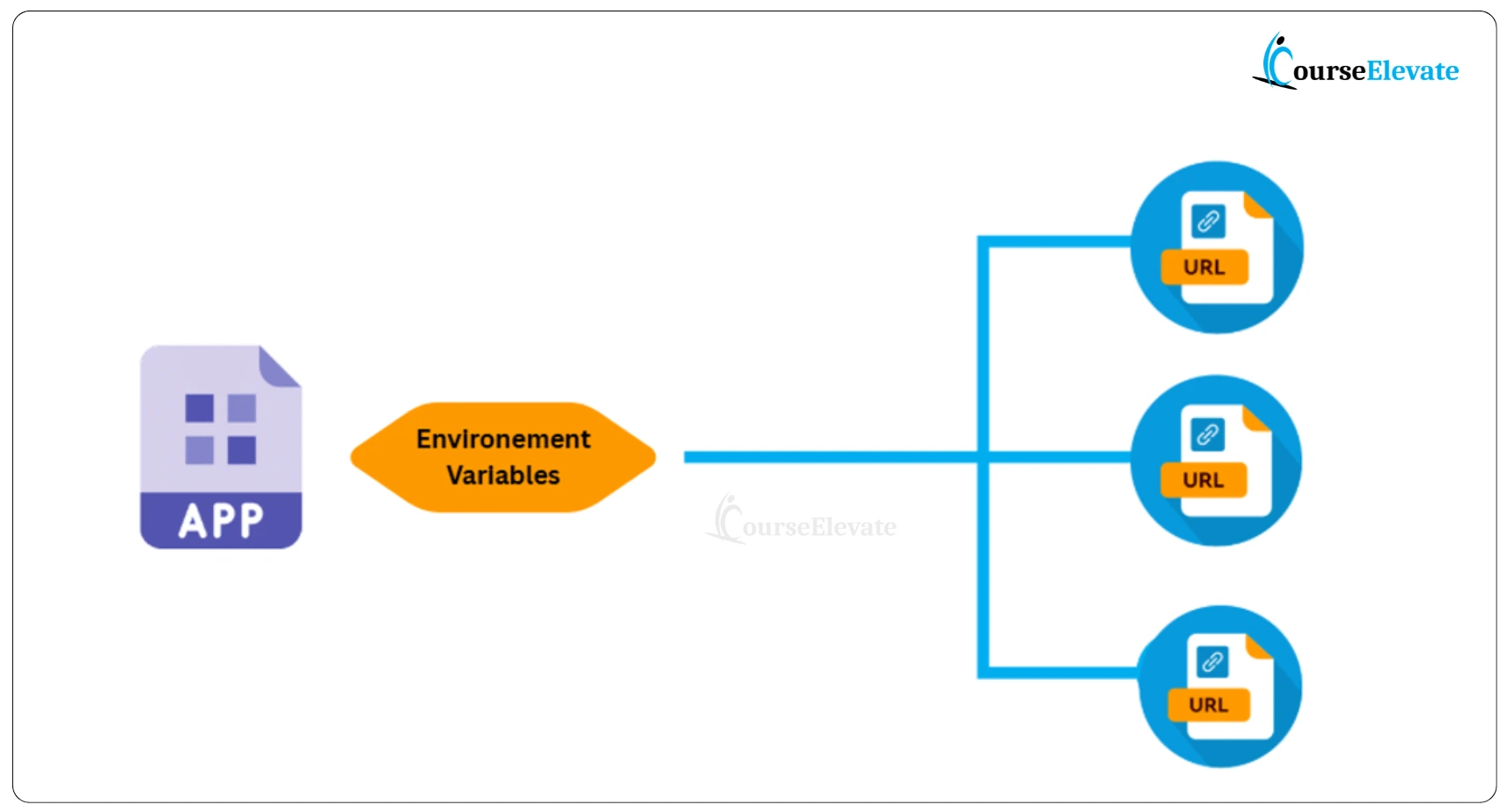
Change the destination without touching the app logic.
What Are the Benefits?
Environment variables offer several key benefits:
- Zero-touch deployments – Move solutions between environments without editing a single flow or app.
- Separation of configuration and logic – Store your URLs, API keys, or feature flags separately (just like .env files in software projects).
- Team safety – Testers and junior developers can work without accidentally connecting to production data.
How to Create an Environment Variable in Power Apps
Let’s now see the exact steps to create one inside Power Apps.
Step 1: Open the Solution
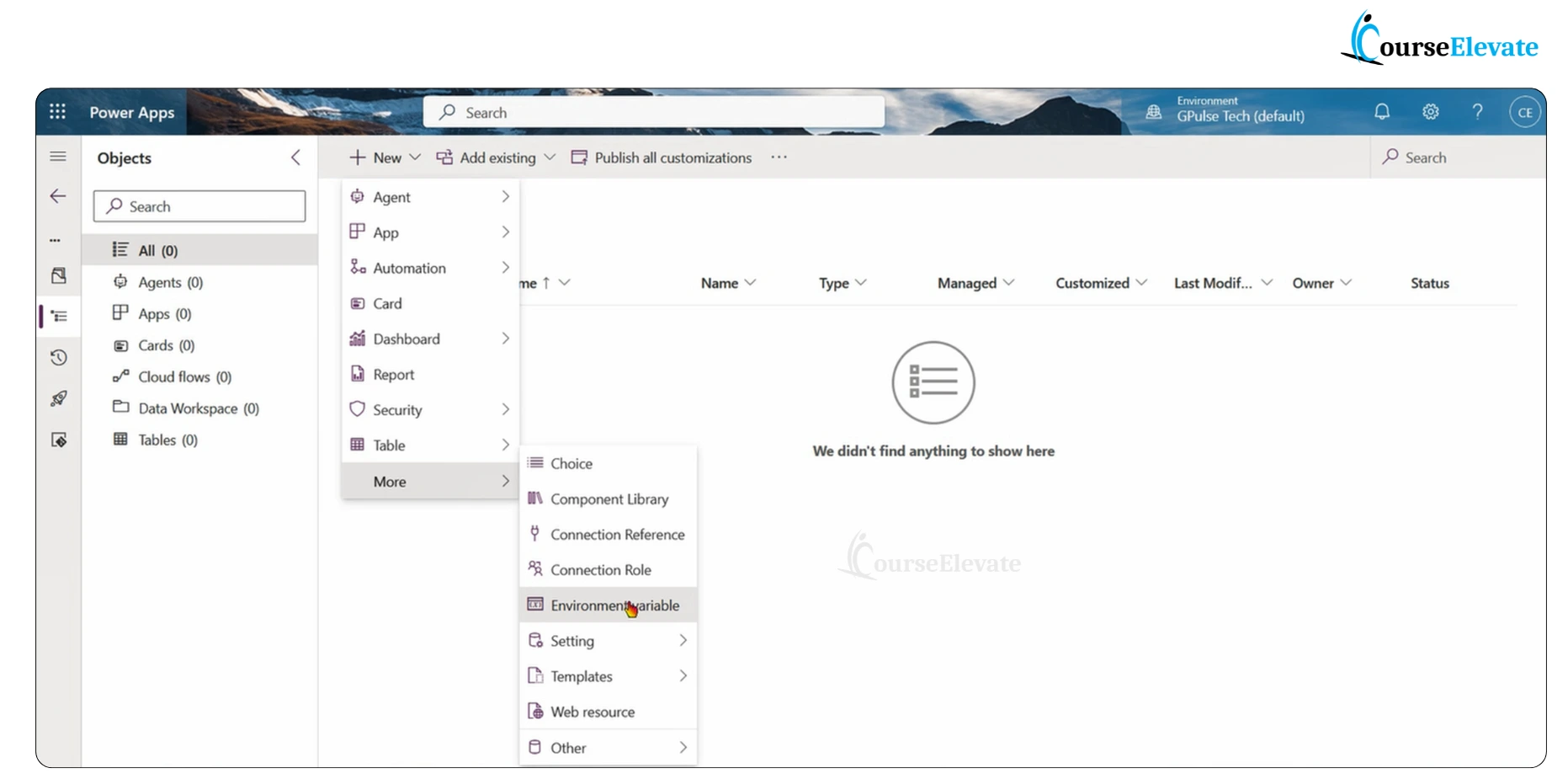
Go to Power Apps → Solutions → open your solution (or create a new one).
Click + New → More → Environment Variable.
Step 2: Fill in Basic Details
Enter the following details:
- Display Name: (e.g., SharePointSiteURL)
- Name: will auto-generate based on the display name
- Description: optional but helpful
- Then choose a Data Type based on your need.
Step 3: Fill Details and Choose Data Type
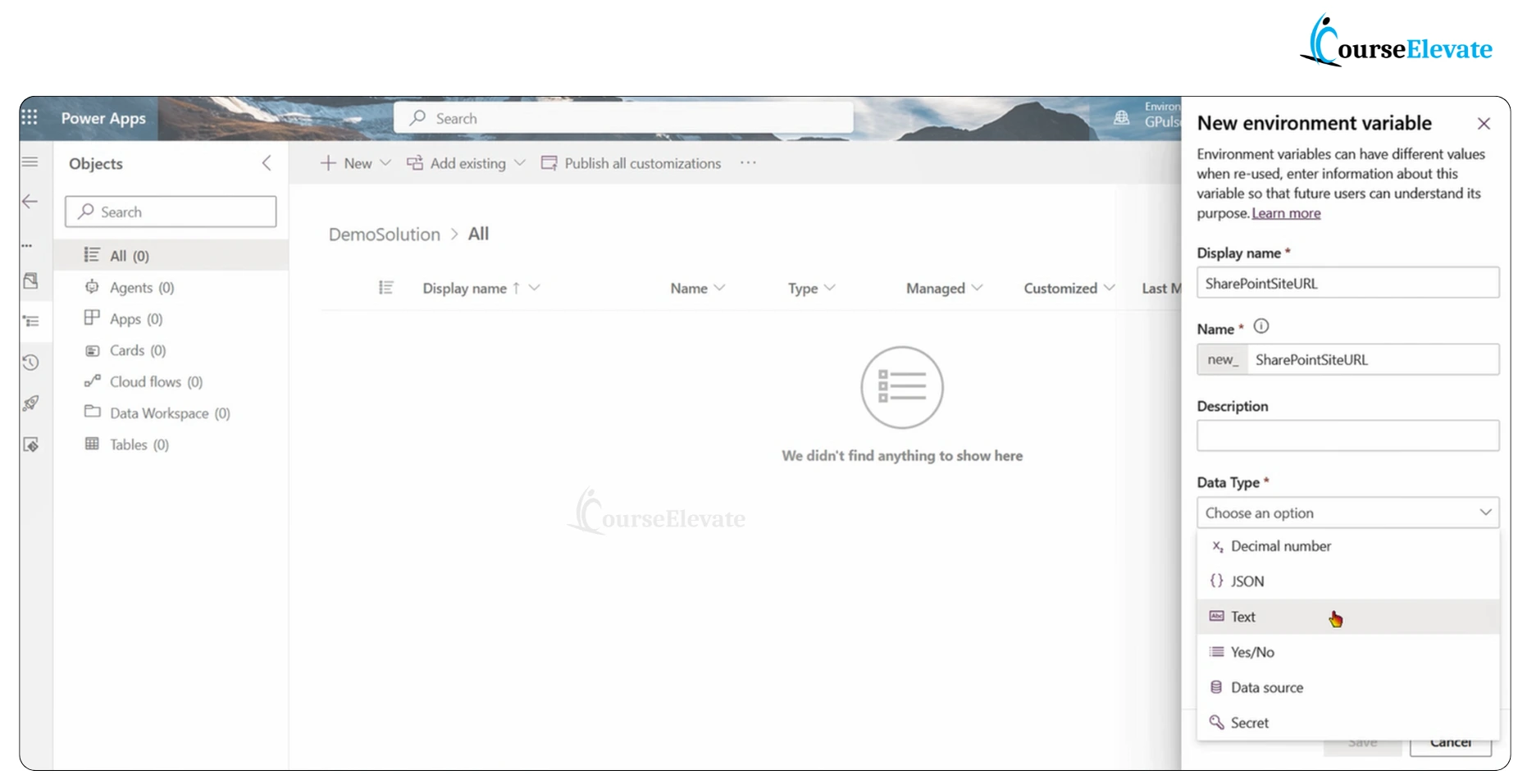
Available options include:
- Decimal Number → store numeric values like tax rates or discounts
- JSON → store structured data
- Text → store URLs, API endpoints, etc.
- Yes/No → for Boolean flags
- Data Source → for data connections
- Secret → for sensitive data like API keys or passwords
In our example, we’ll choose Text because we’re storing a SharePoint URL.
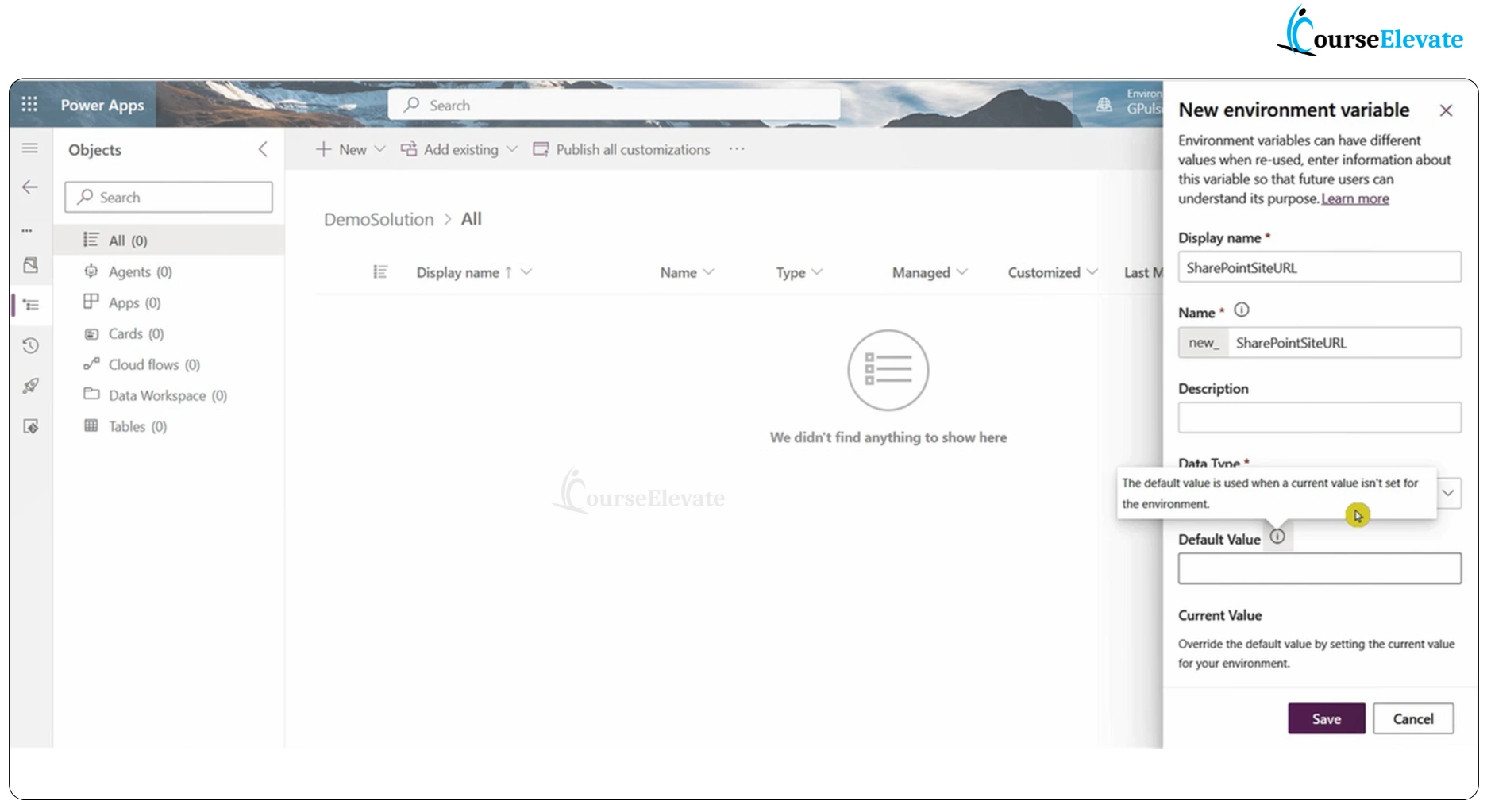
Step 4: Add Default and Current Values
You’ll find two fields:
- Default Value: Used when no specific value is defined for an environment.
- Current Value: Overrides the default when deploying to a specific environment.
Default vs Current Values
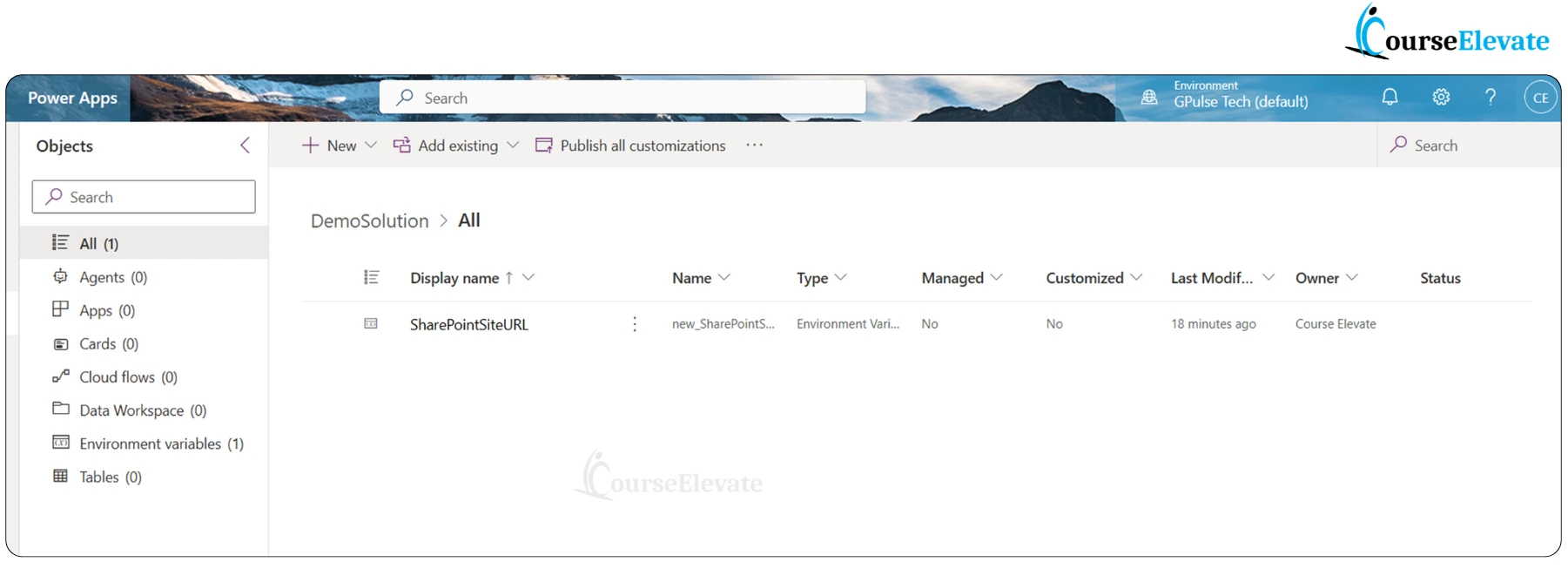
Step 5: Save and Verify
Click Save, and your environment variable will appear in the solution.
Summary
Environment variables in Power Apps allow you to:
- Avoid hardcoding configuration values
- Easily migrate solutions between environments
- Enhance team collaboration and safety
In short, they help you build once and deploy anywhere.
Frequently Asked Questions (FAQ)
1. What is an Environment Variable in Power Apps?
An Environment Variable is a reusable configuration item that stores values like URLs, API keys, or connection references. It helps you move apps and flows between environments without changing the logic.
2. Where can I use Environment Variables?
You can use them in Canvas Apps, Model-Driven Apps, Power Automate Flows, and Custom Connectors that are part of a solution.
3. How are Environment Variables different from normal variables?
Normal variables work only inside one app or flow, while environment variables work across the entire solution and environment, making them ideal for deployment.
4. Can I update an Environment Variable later?
Yes. You can edit its Current Value anytime without redeploying your app or flow.
5. What are common examples of using Environment Variables?
Some common use cases include:
- Storing SharePoint site URLs
- Holding API keys or secrets
- Managing Dataverse table names for different environments
6. Are Environment Variables secure?
Yes, especially when you choose the Secret data type — it keeps sensitive values encrypted and hidden from other users.
7. Do I need to create them in every environment?
Yes, each environment can have its own current value, allowing the same app to behave differently in Development, QA, or Production.
8. Is this question asked in interviews?
Absolutely! This is a frequently asked Power Apps interview question because it shows your understanding of environment management and solution migration.
📘 Download Free Power Apps Interview Questions eBook

Also read here 300+ Power apps Interview to qualify your next interview
More details on Environment Variables, Read Microsoft blog.
📺 Watch More Power Apps Interview Questions on YouTube



