

The Power Apps application lifecycle is a structured process that defines how apps are planned, developed, tested, deployed, and maintained across environments.
Planning
Understand business requirements, define app objectives, choose the right app type (Canvas, Model-driven, or Portal), and outline data and integration requirements.
Environment Setup
Set up separate environments (Dev, Test, Prod) and configure security roles , environment variables and DLP policies.
App Development
Build the app using Power Apps Studio, leveraging Dataverse, Power Fx and implement component library for libraries for reusability.
Source Control & ALM
Use solutions (managed/unmanaged), manage versions with Git and implement ALM using Power Platform CLI, Azure DevOps, or GitHub Actions.
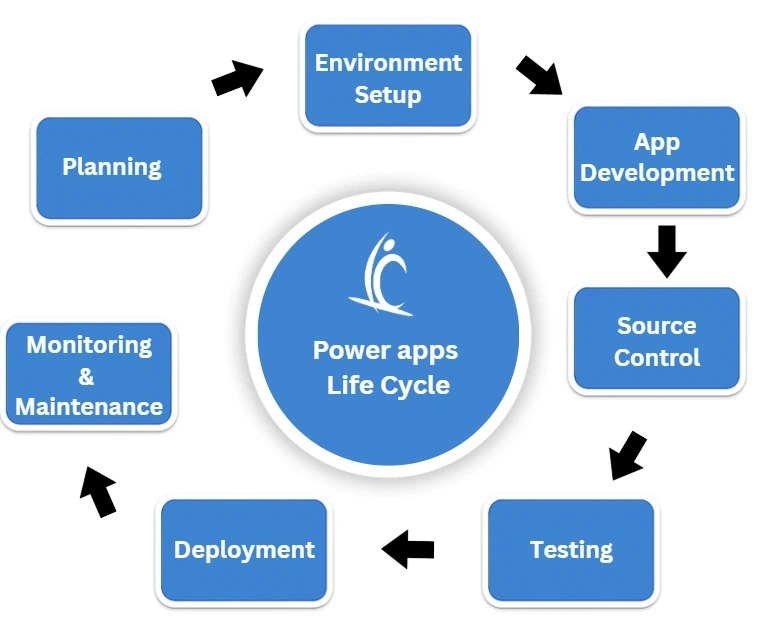
Testing
Conduct unit testing, integration testing, and UAT to ensure the app meets functional and performance expectations.
Deployment
Move solutions across environments using managed solutions and CI/CD pipelines. Ensure versioning and rollback strategies are in place.
Monitoring & Maintenance
Monitor app health, usage, and errors using Power Platform Admin Center and analytics tools. Plan for updates and improvements.
Decommissioning
When retiring an app, archive data, notify users, and ensure compliance with data retention policies.



