

When building Canvas Apps, you’ll often need to handle blank values. Two common ways to do this are using Coalesce() and If(IsBlank()). While both solve similar problems, they work a little differently.
Difference between Coalesce() & If(Is Blank()) function
Coalesce() → Returns the first non-blank value from a list of options.
If(IsBlank()) → Evaluates one value at a time and then decides what to return.
Coalesce() Example :
Coalesce(txtMobileNo.Text, txtEmailAddress.Text, "No contact info available")
This will:
• Show Mobile No. if available.
• If blank, fallback to Email Address.
• If both are blank, show “No contact info available”.
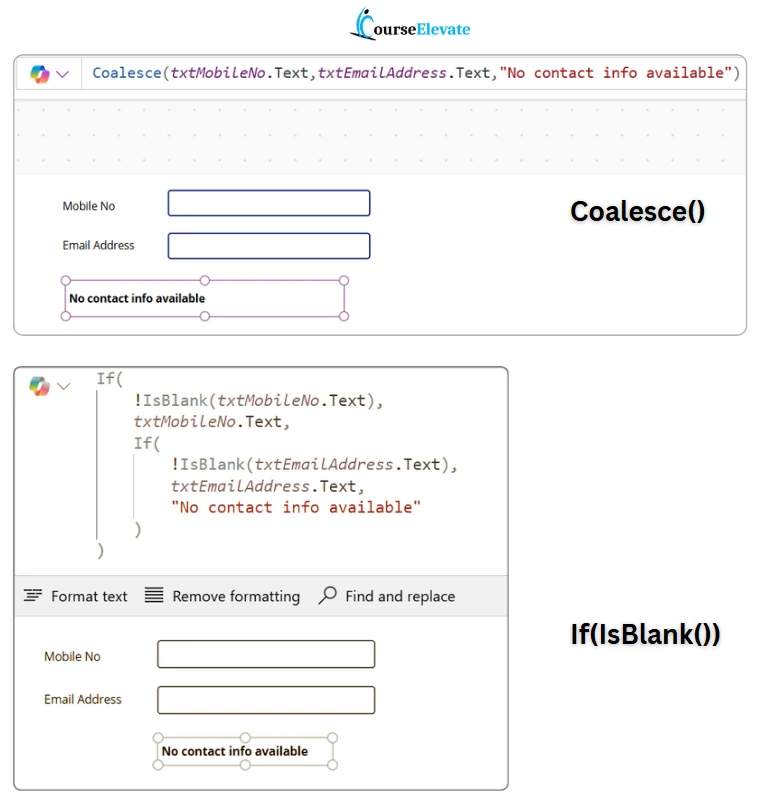
If(IsBlank()) Example
If(
!IsBlank(txtMobileNo.Text),
txtMobileNo.Text,
If(
!IsBlank(txtEmailAddress.Text),
txtEmailAddress.Text,
"No contact info available"
)
)
👉 Same logic, but more verbose:
• First check Mobile.
• If blank, then check Email.
• If both blank, fallback to the default message.
So here, Coalesce() keeps it short & clean, while If(IsBlank()) works but gets nested.



