
In Dataverse, every privilege inside a security role (like Read, Write, Delete, etc.) can be set to one of five access levels. These levels basically decide how far that permission reaches.
Here they are, from smallest to biggest:
- None – No access at all for that privilege. The user simply can’t do that action.
- User (Basic) – The user can only access records they personally own. Nothing more.
- Business Unit (Local) – The user can access records owned by anyone in their own Business Unit, not just their own records.
- Parent: Child Business Units (Deep) – The user can access records in their own Business Unit and any child Business Units underneath it.
- Organization (Global) – The user can access every record in the entire organization, no matter which Business Unit owns it.
Example:
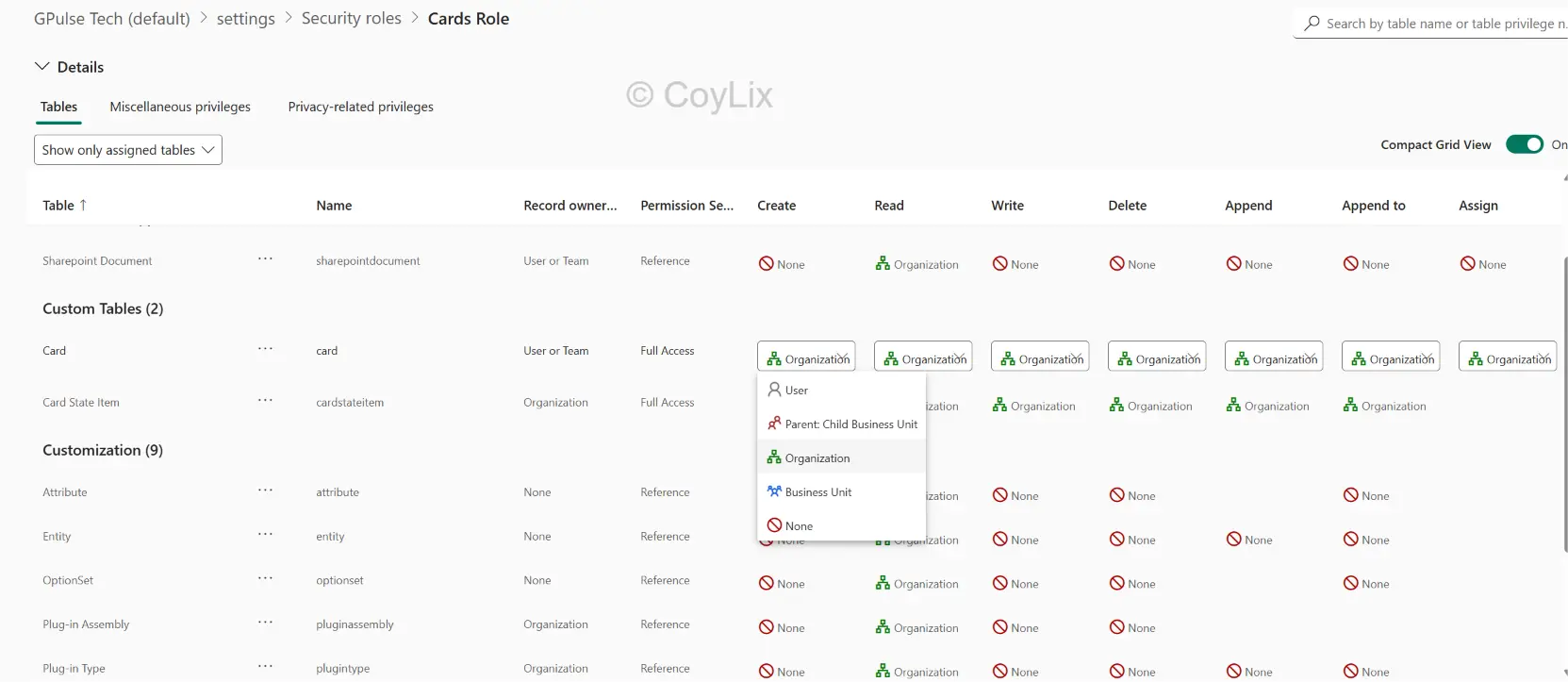
Say you’re setting the Read privilege on the Card table as shown in the above diagram
- A regular user might get User level — they can see only the Card records they own.
- A team manager might get Business Unit level — they can see Card records within their business unit.
- A regional manager might get Parent: Child Business Unit level — they can see Card records in their business unit and child business units.
- An admin might get Organization level — they can see all Card records across the organization.





