
A formula column uses Power Fx to calculate a value in Dataverse. Power Fx is the same formula language used in Power Apps. Both formula and calculated columns calculate their values in real time when retrieved.
The key practical difference is how the formula is written and how null values are handled. A formula column uses Power Fx, and a null numeric value is treated as 0 during the calculation. In a calculated column, a null numeric value can result in a null result.
Example:
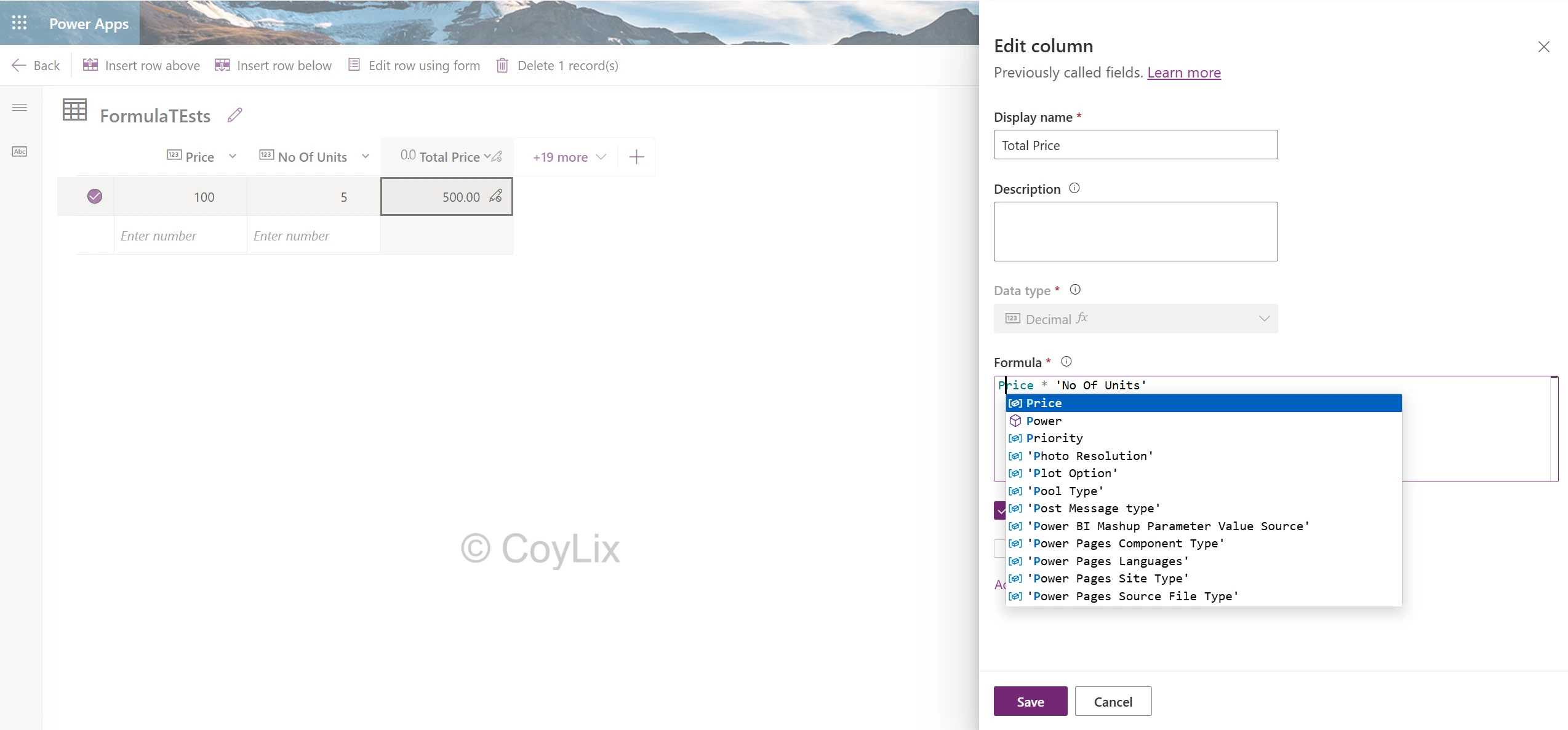
If Price = 100 and No Of Units = 5:
TotalPrice= Price * ‘No Of Units’ = 500
In the below diagram, we have created formula column TotalPrice using Power fx.
Difference
| Calculated Column | Formula Column | |
| Formula language | Dataverse calculated-column expression | Power Fx and intellisense |
| Null number | Can result in null | Treated as 0 |
| Data Types | Supports several types, including Currency, Whole Number and Choice | Supports many data types but Currency isn’t currently supported |
Interview tip
Formula column = Power Fx + null numbers treated as 0





