
DelayOutput is used on text inputs to delay updates until typing is finished. With this property you can reduce unnecessary recalculations and improves app performance.
Where it’s used
- Primarily in Text Input controls
- Common in search boxes, filters, and live queries
What It Does
Normally, when a user types in a text box, Power Apps recalculates formulas instantly for each character.
When DelayOutput = true, calculations run only after typing stops — reducing unnecessary processing.
Example scenario
Here search box (txtSearchQualification ) filters below gallery. So when :
- DelayOutput = false → Gallery refreshes on every keystroke (“B” → refresh, “Ba” → refresh).
- DelayOutput = true → Gallery refreshes only after typing finishes → smoother performance.
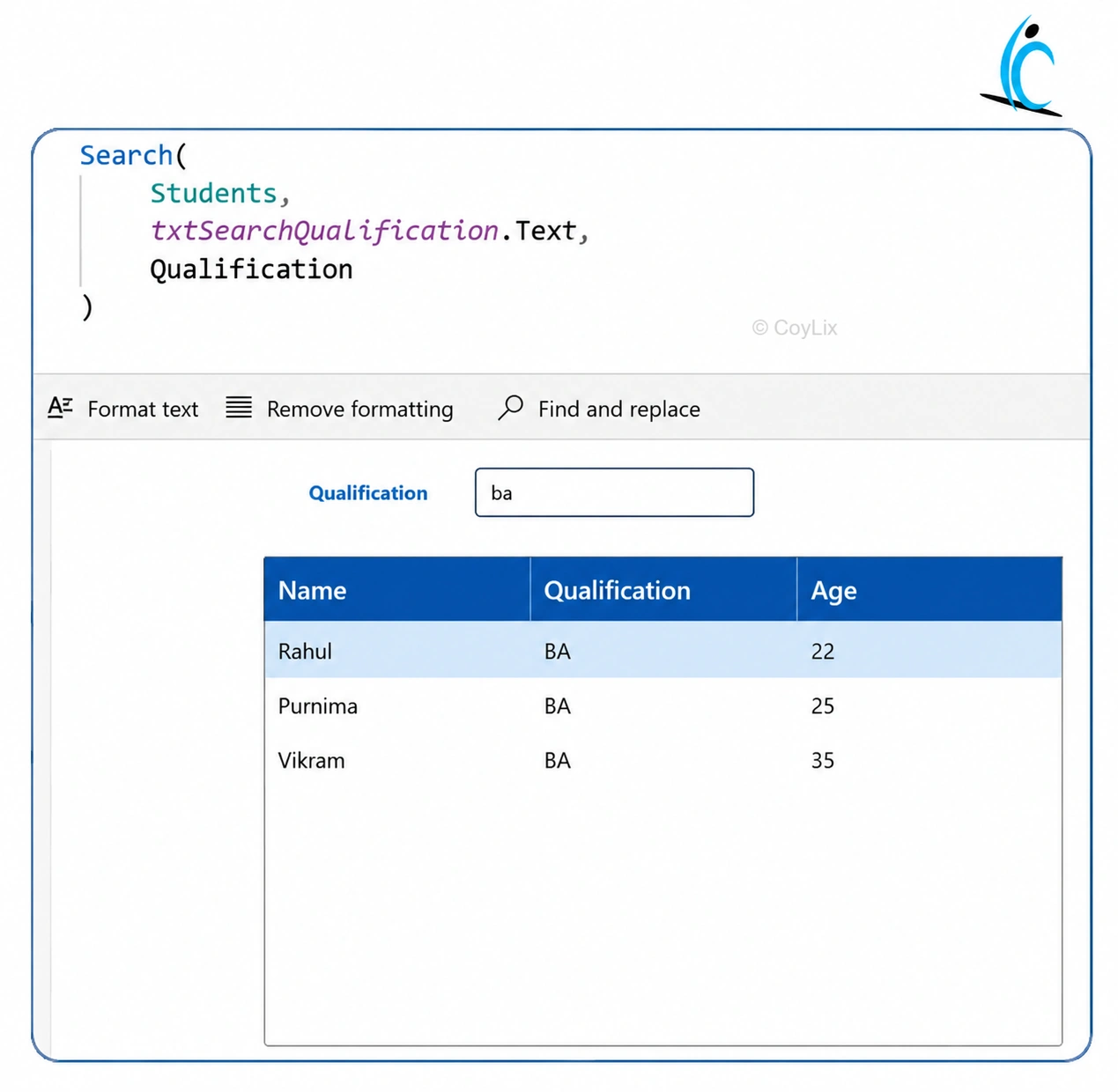
Caption: Example of DelayOutput improving gallery search performance.
Benefits
- Improves app performance
- Reduces unnecessary recalculations
- Prevents excessive connector/API calls
- Creates smoother user experience for large datasets
Interview-ready one-liner
DelayOutput delays formula execution until typing stops, improving performance by preventing recalculation on every keystroke.




